Extended Case Form
An enhanced case creation form that guides users through selecting a case type, identifying the affected service, and providing the right baseline information upfront.
Note: The extended case form is not enabled by default. It is activated per customer. If your organization has not enabled this feature, you will see the standard case form instead.
Overview
The extended case form replaces the standard free-text form with a structured, step-by-step flow. The goal is to capture the right information upfront — reducing back-and-forth between you and the support team, and ensuring your case reaches the right people faster.
Creating a case with the extended form
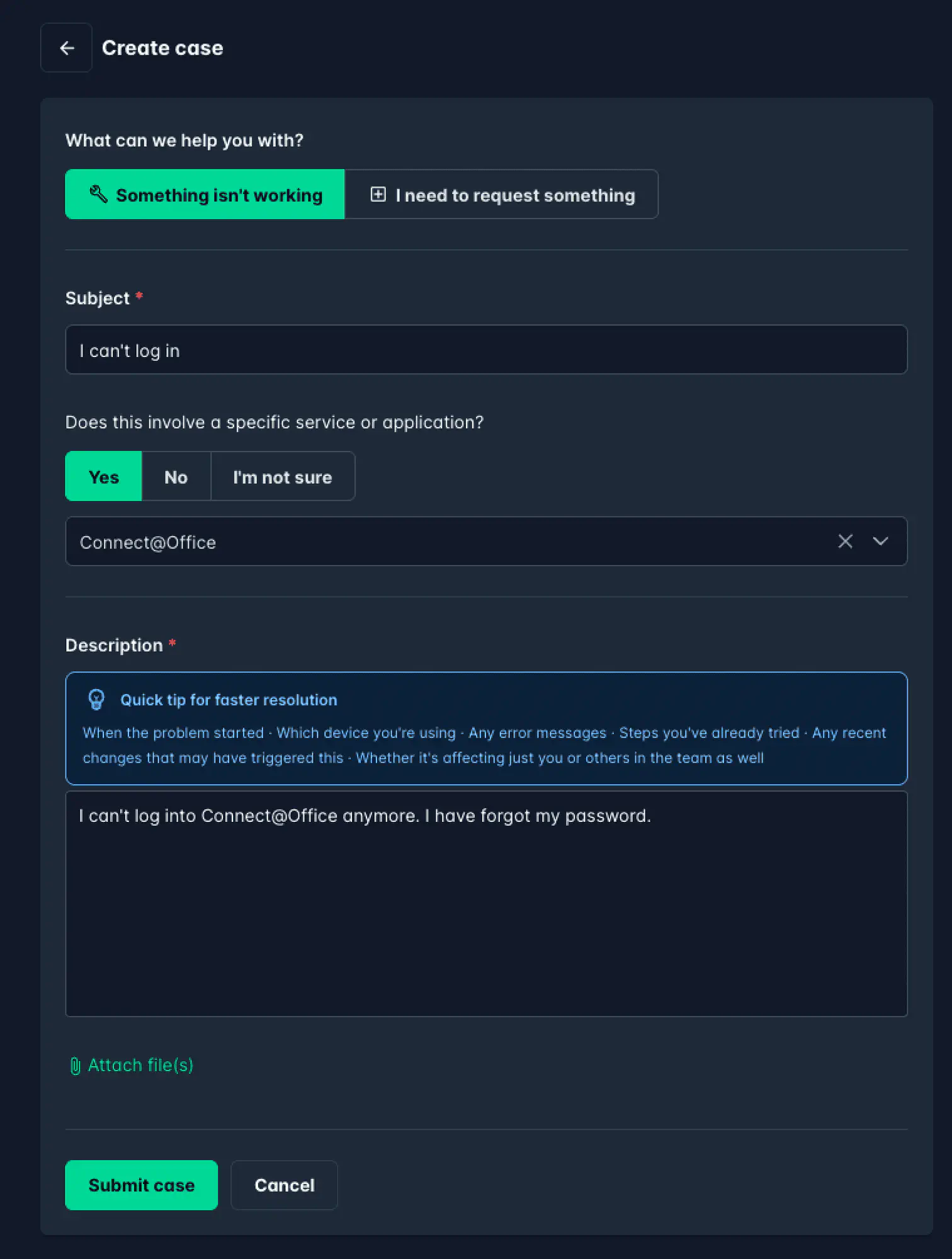
When the extended form is enabled, submitting a case works as follows:
Select the case type — Choose whether you are reporting something that is not working, or requesting something new:
- Something isn’t working — for incidents, errors, and outages
- I need to request something — for new access, changes, or service requests
Enter a subject — Provide a short, clear headline for your case (required).
Identify the service or application — Indicate whether your case involves a specific service or application:
- Select Yes and choose the service from the dropdown if applicable
- Select No or I’m not sure if it is a general issue
Write a description — Describe the issue or request in detail (required). A contextual tip appears in the description field to help you include the most useful information — such as when the problem started, which device you are using, any error messages, and steps you have already tried.
Attach files — Optionally attach screenshots or other relevant files.
Click Submit case to register your case.
Why the structured form helps
By categorizing and contextualizing your case at submission time, the support team can:
- Route your case to the right specialist immediately
- Begin work without needing to ask follow-up questions for basic details
- Track all cases per service as a consistent data set in ServiceNow
Read more about how cases are handled in Case details.