CMDB Workspace
Work faster with configuration data in Cetegra Care: search, visualize relationships, monitor CMDB health, and leverage insights.
aliases:
- /docs/cetegra-care/manager/cmdb-workspace/
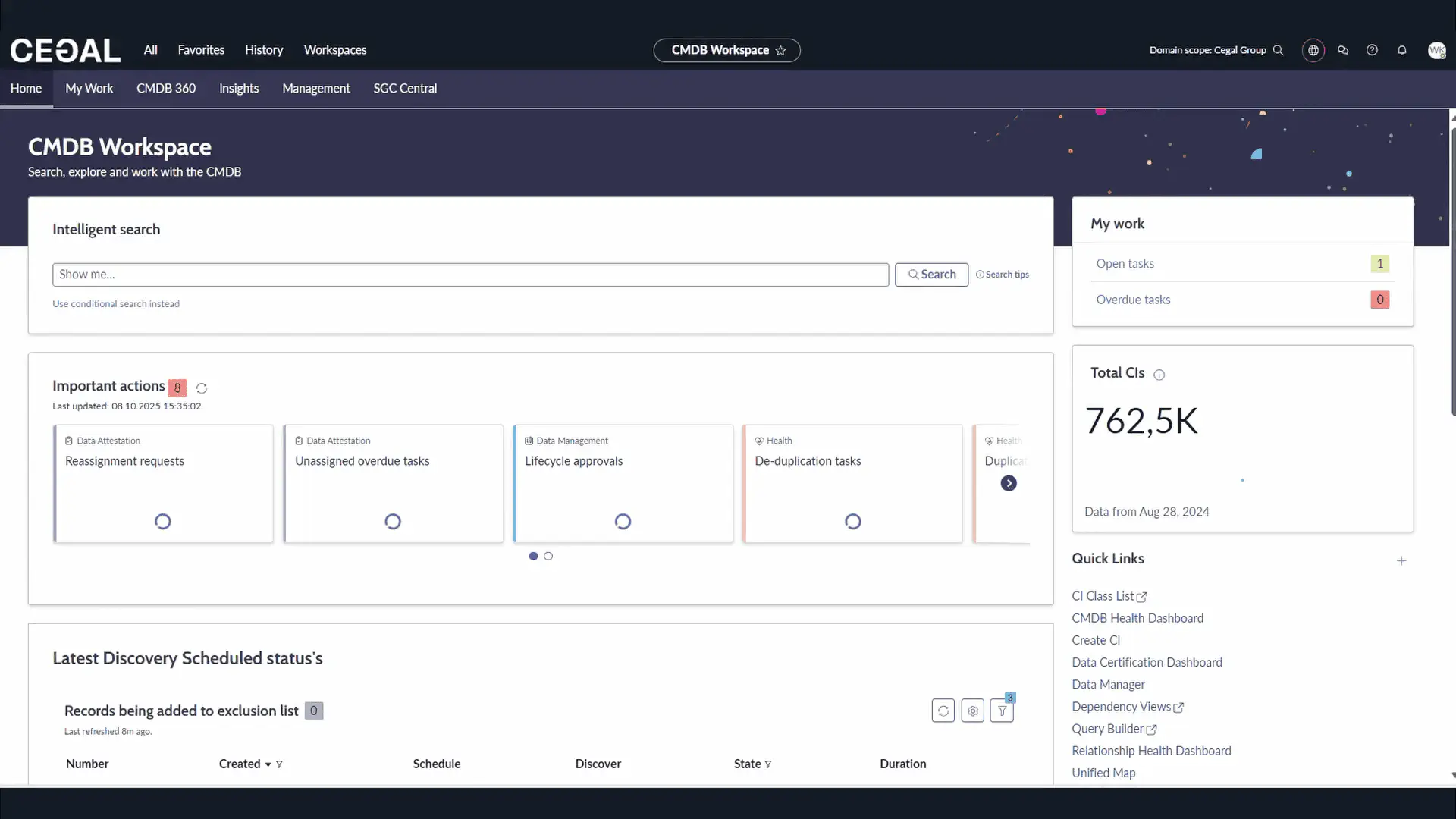
The CMDB Workspace in Cetegra Care gives power users a modern, streamlined interface to find, analyze, and maintain Configuration Items (CIs). Use it to search across your CMDB, visualize relationships, track health and data quality, and access deep insights.
Audience: Configuration Managers, CMDB Admins, Advanced IT Operations
Access: Requires Cetegra Care access with appropriate CMDB roles and domain visibility.
aliases:
- /docs/cetegra-care/manager/cmdb-workspace/
Quick start
- Open Cetegra Care: In Cetegra Workspace, open the Application Widget and click Cetegra Care.
- Open CMDB Workspace: In the top menu, click Workspaces → CMDB Workspace.
Note on visibility
Some entries may appear empty and some totals may not match your expectations. This usually means the CI belongs to a different domain and is not visible to you. Counts may include records outside your domain.
aliases:
- /docs/cetegra-care/manager/cmdb-workspace/
What you can do
- Search & Filter: Use natural language and attribute filters to find CIs fast.
- Explore Relationships: Visual topology, drill-down, and impact context.
- Maintain CMDB Health: Monitor completeness, correctness, and compliance; act on issues.
- Leverage Insights: Dashboards for growth, data quality, discovery coverage, and adoption.
- Work Faster: Jump to related records and tools directly from the workspace.
aliases:
- /docs/cetegra-care/manager/cmdb-workspace/
Home tab
The Home tab gives an operational overview and fast paths to common actions.
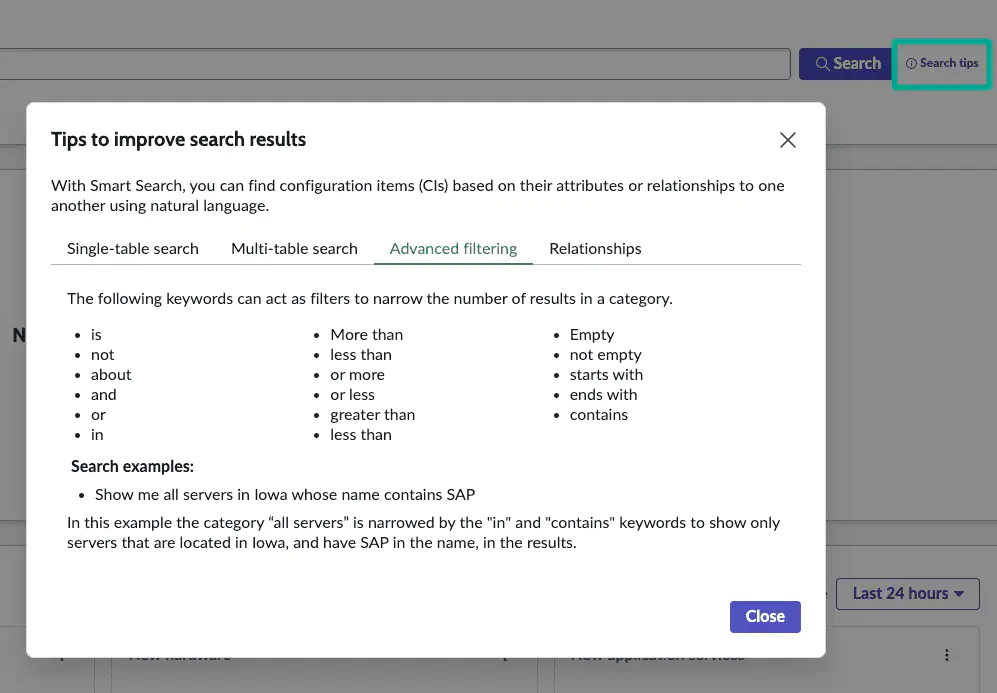
Intelligent Search
Use natural language or attribute terms to find CIs.
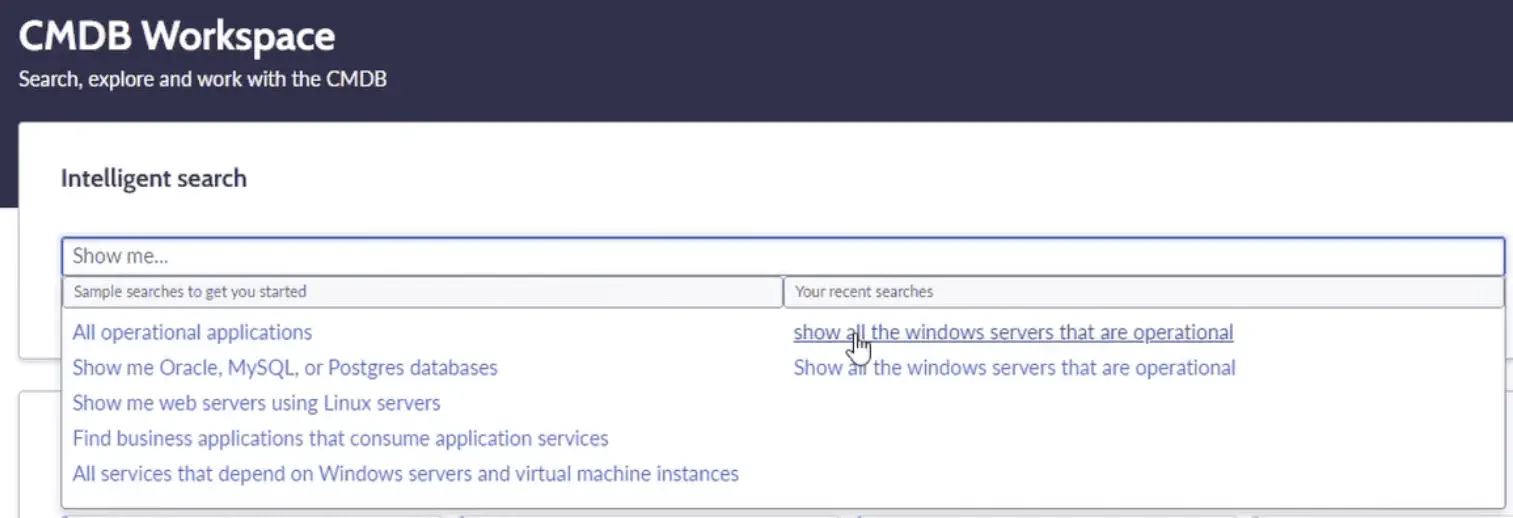
Examples:
show all operational Windows servers
linux servers without serial number
show me configuration items located in Oslo
show me all servers running Oracle database
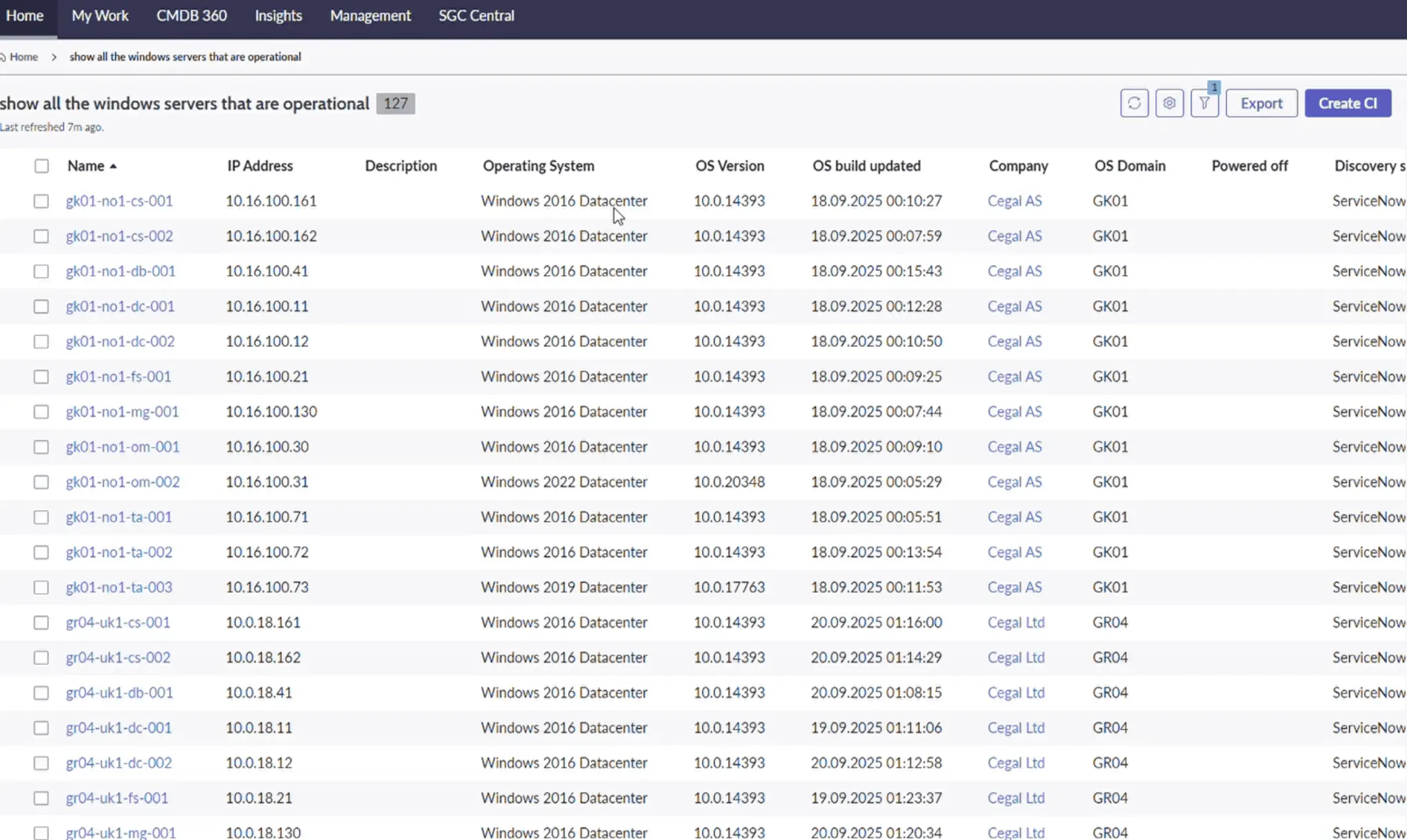
- Click a result to open CI details.
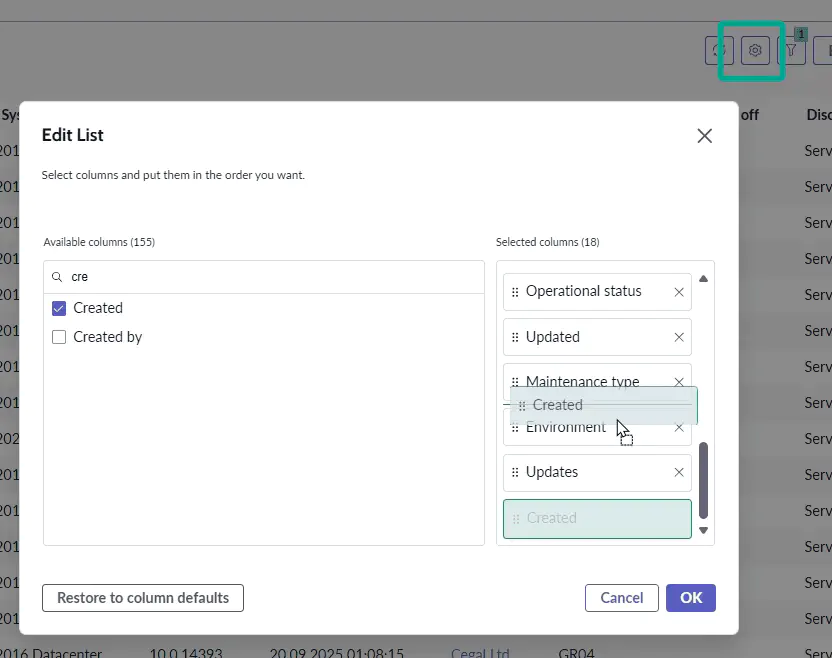
- Configure visible columns.
- Export results to Excel, CSV, JSON, or PDF; download or email directly.
Tip
See the Search tips for more examples and syntax help.
aliases:
- /docs/cetegra-care/manager/cmdb-workspace/
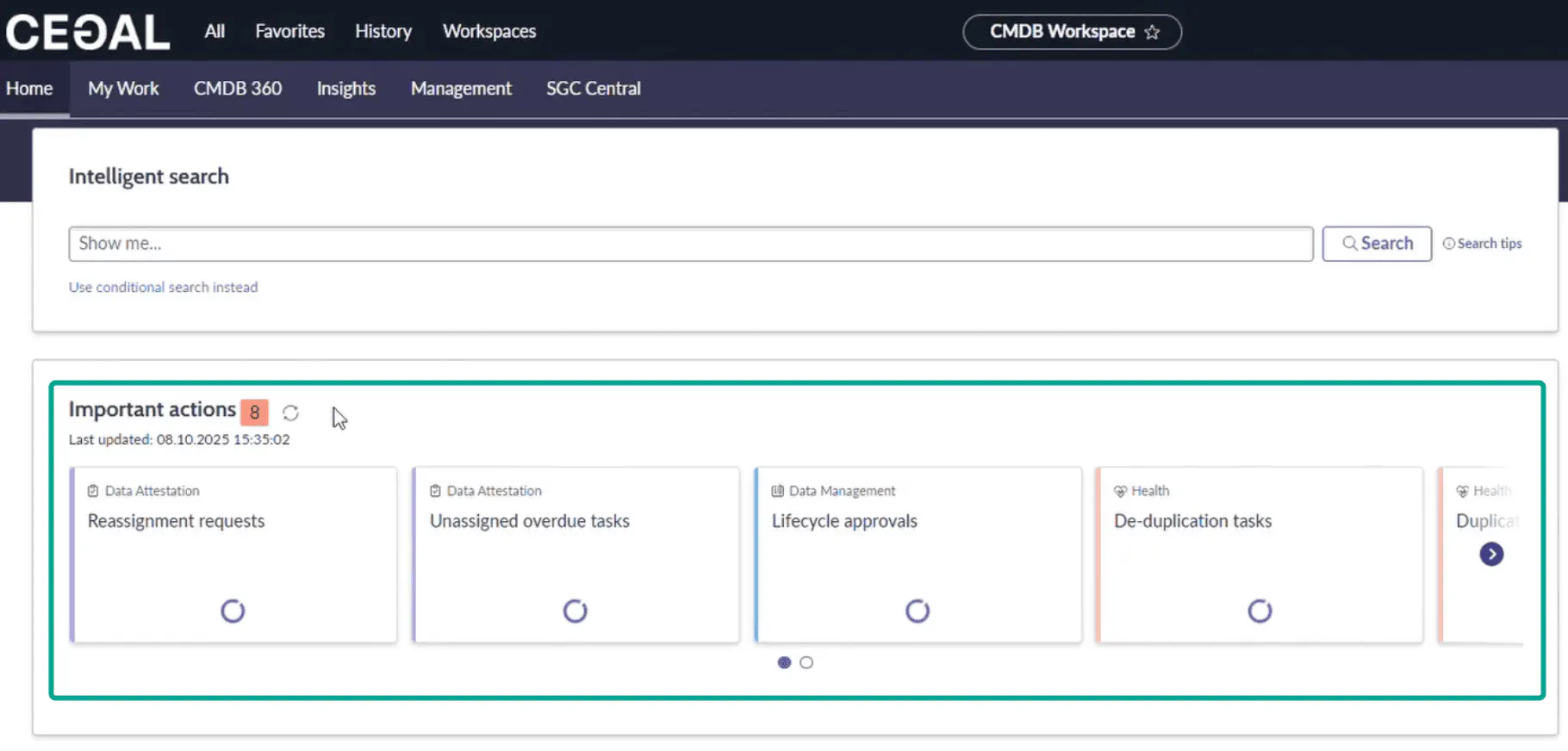
Important Actions
A prioritized list of CMDB health tasks assigned to you or your groups (e.g., duplicates to resolve).
For admins
Use this queue to drive daily/weekly hygiene work.
aliases:
- /docs/cetegra-care/manager/cmdb-workspace/
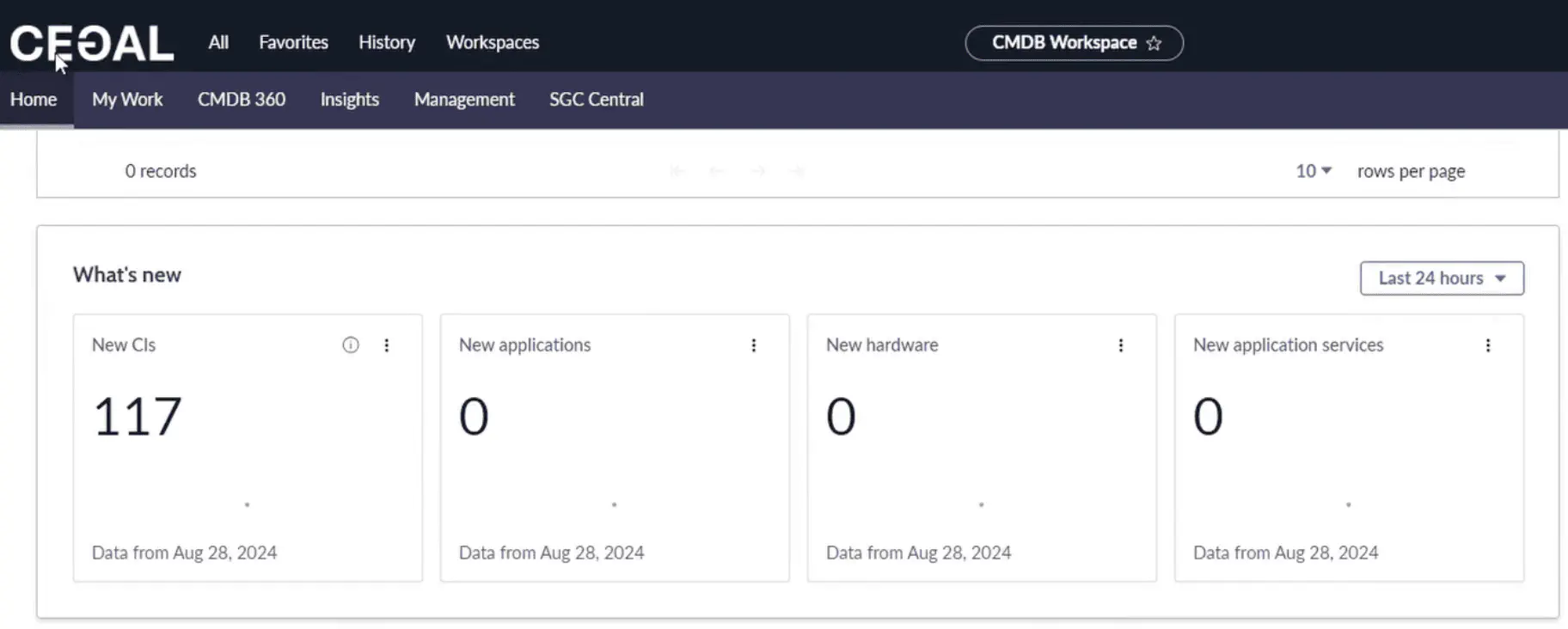
What’s New
See newly created CIs within a time window (Last 24h, 7 days, 30 days). Useful for ingestion monitoring and change awareness.
aliases:
- /docs/cetegra-care/manager/cmdb-workspace/
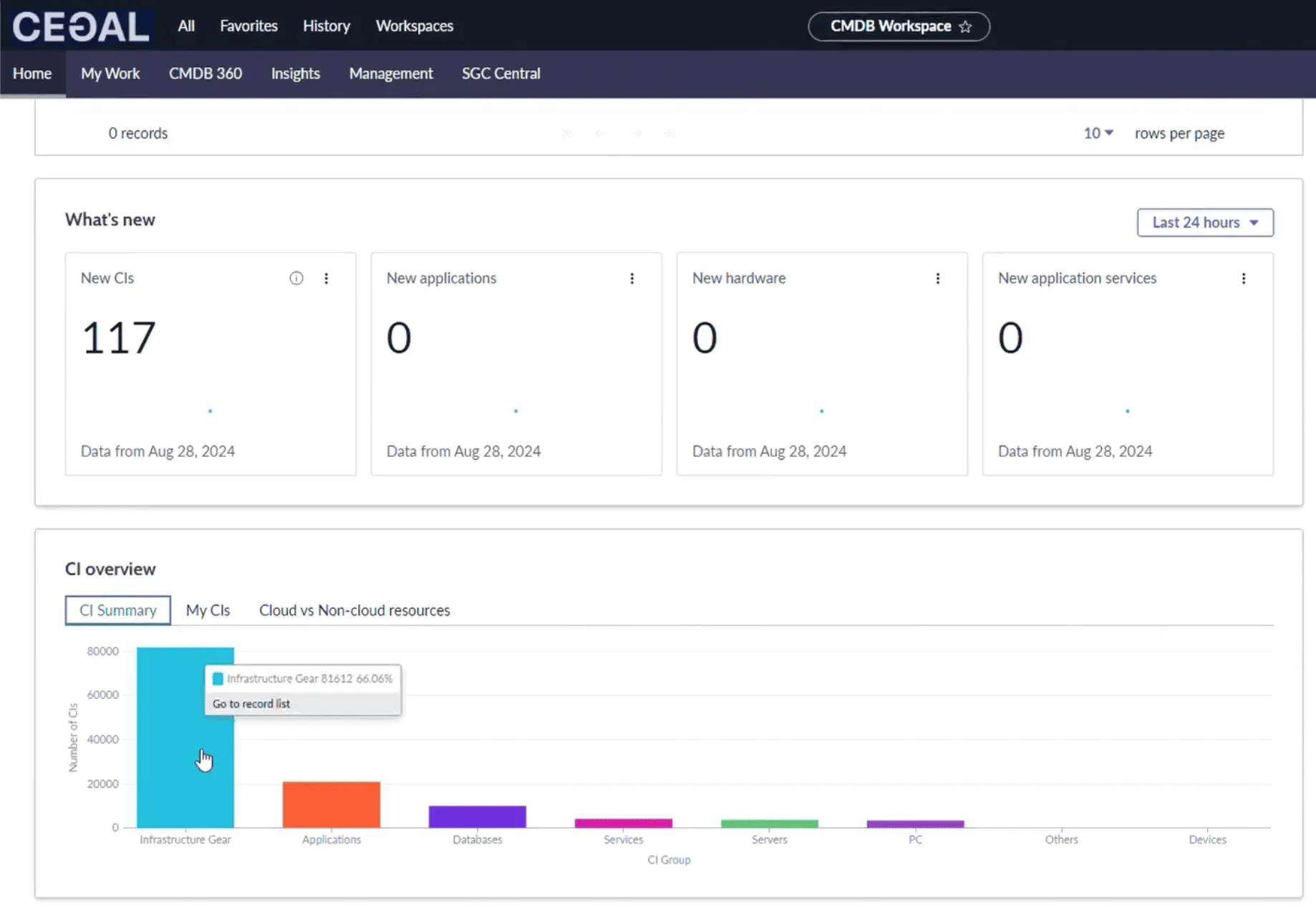
CI Overview
Tiles and charts that summarize your estate: Totals, CIs you manage, and Cloud vs Non-Cloud distribution.
aliases:
- /docs/cetegra-care/manager/cmdb-workspace/
Right-hand panel
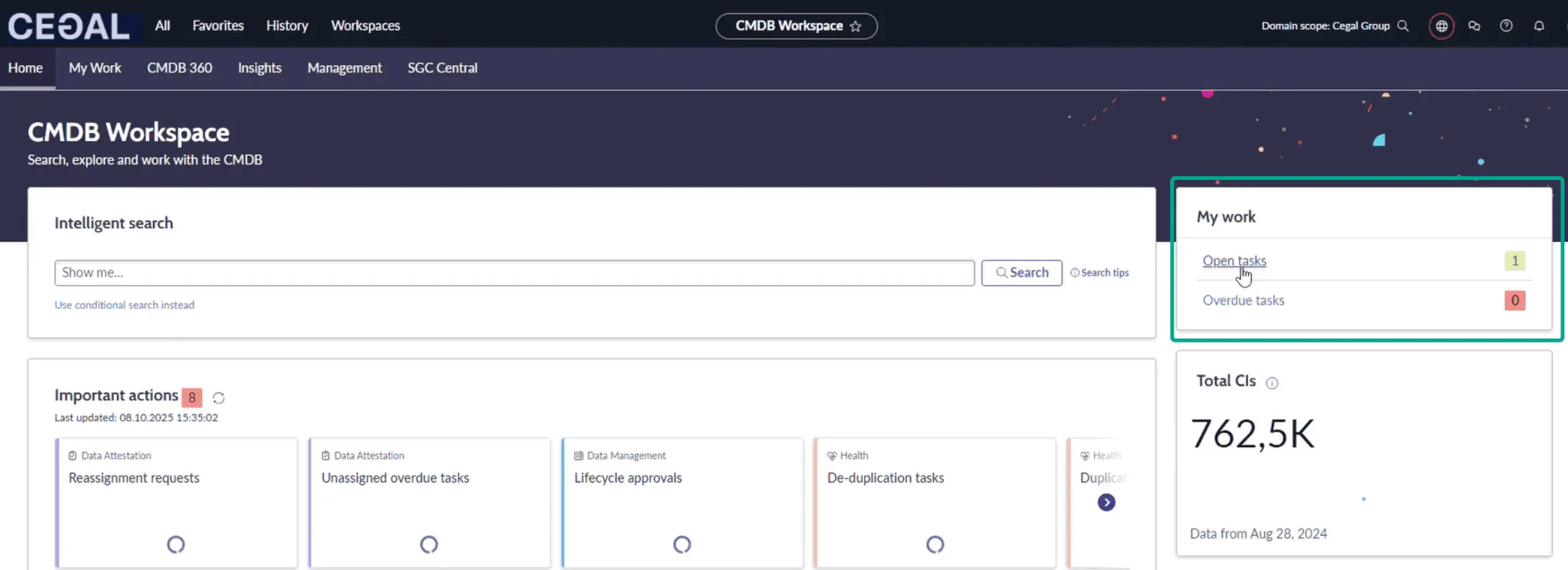
A compact area with My Work and Quick Links to speed up navigation.
My Work
Lists tasks assigned to you/your group—typically health fixes and data certification work.
Tip
Triage daily; fix small issues quickly to prevent data debt.
aliases:
- /docs/cetegra-care/manager/cmdb-workspace/
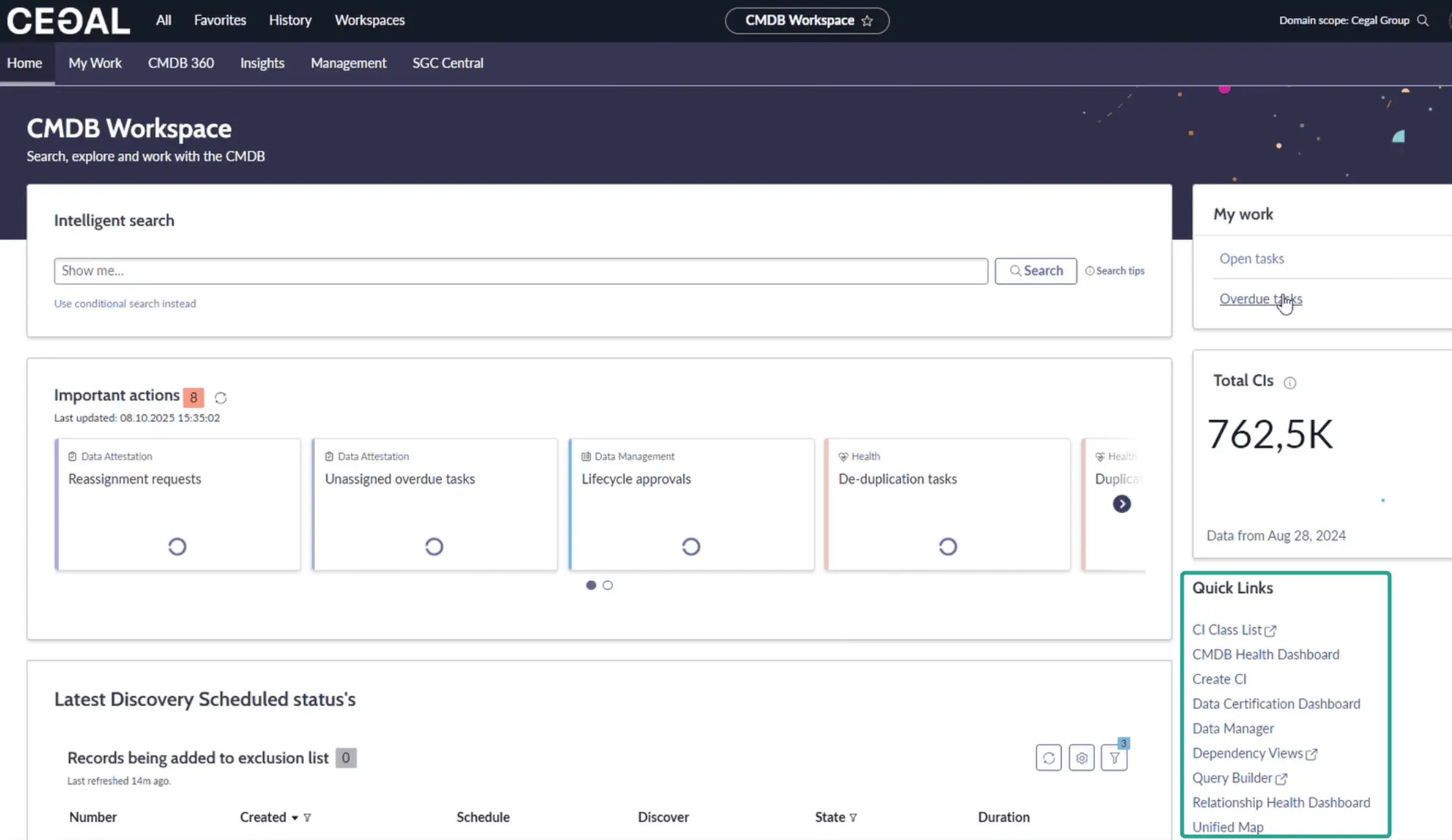
Quick Links
| Link | What it’s for | Typical user |
|---|---|---|
| CI Class List | Browse/filter CI classes; customize columns; bulk export | Power users, admins |
| CMDB Health Dashboard | Track Completeness, Correctness, Compliance; drill down to issues | CMDB admins |
| Create CI | Manually create a CI (use with caution) | CMDB admins only |
| Data Certification Dashboard | Certify data accuracy; complete assigned reviews | CMDB admins |
| Dependency Views | Visualize CI relationships and topology | Ops & CMDB admins |
| Query Builder | Build complex cross-class queries without code | Power users |
| Relationship Health Dashboard | Detect duplicate/orphan/stale relationships & rule compliance | CMDB admins |
| Unified Map | One-page CI timeline and context: attributes, services, tasks, changes | All power users |
Warning — Create CI
Manual CI creation can bypass discovery and reconciliation. Use only when required, following local governance. Prefer automated discovery and connectors where possible.
aliases:
- /docs/cetegra-care/manager/cmdb-workspace/
Key tools in depth
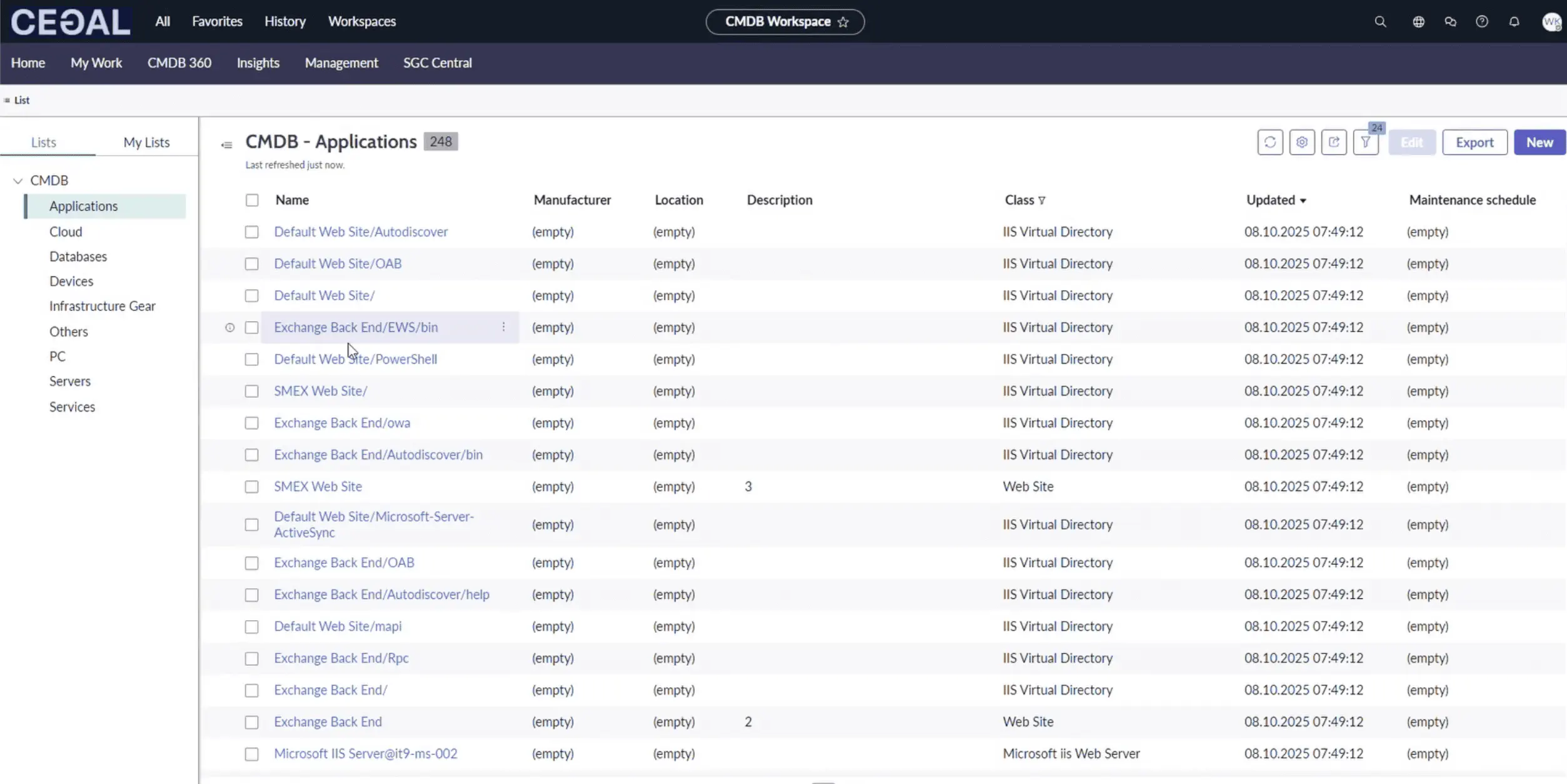
CI Class List
- Navigate across classes (e.g., Servers → Windows/Linux/ESX/AIX).
- Add/remove columns to focus on data health fields (owner, serial, environment, etc.).
- Filter by class, status, location, assignment group, Discovery Source.
- Export results for audits or bulk reviews.
Best practice
Save a “Data Health” view per class showing critical attributes and ownership.
aliases:
- /docs/cetegra-care/manager/cmdb-workspace/
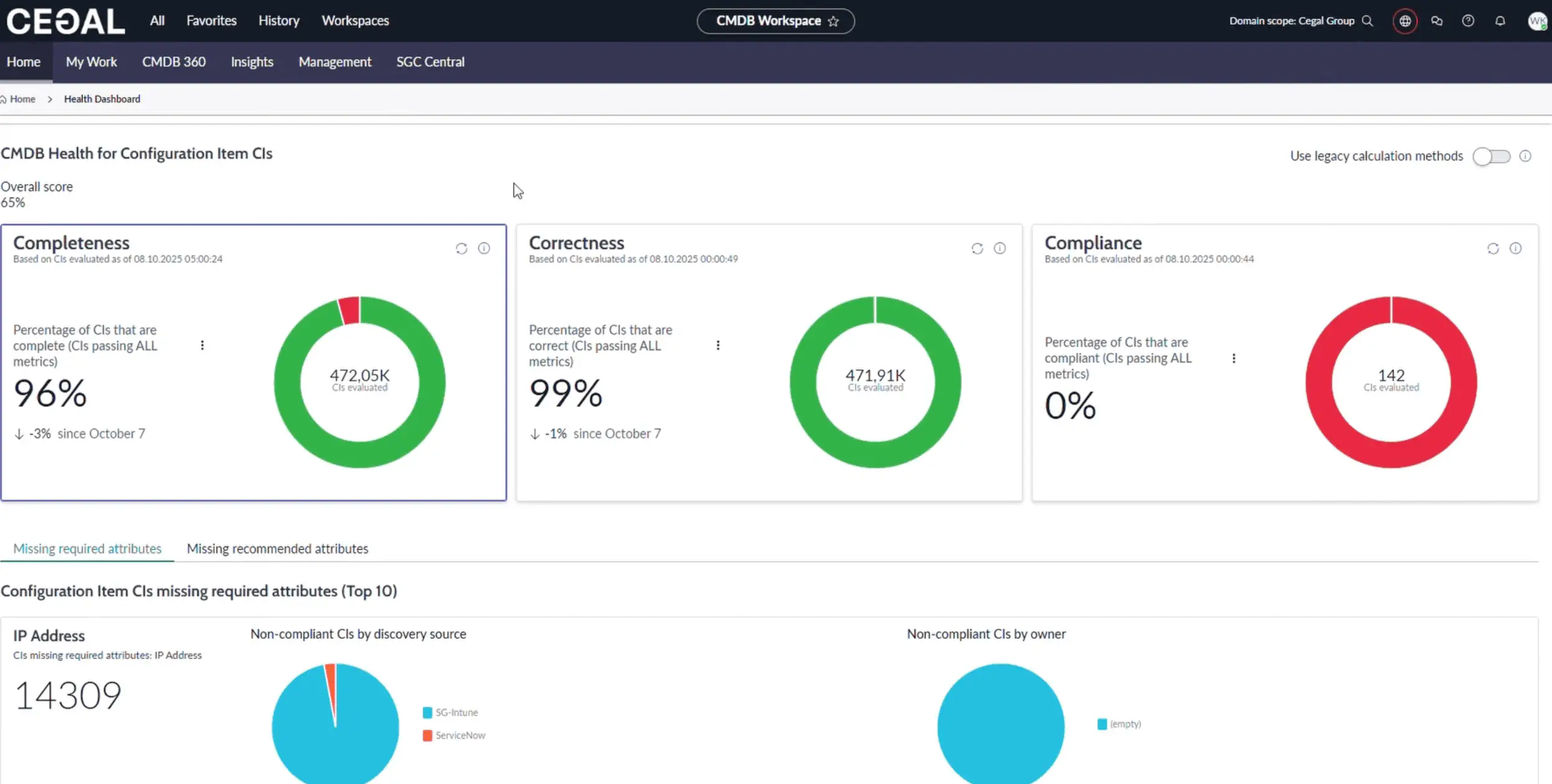
CMDB Health Dashboard
Health is measured across three dimensions:
- Completeness — missing required/recommended attributes
- Correctness — duplicate, orphan, stale CIs
- Compliance — adherence to audit policies/jobs (e.g., Windows/Linux)
Click any score to open the CMDB Health Dashboard for drill-down, remediation guidance, and trend charts.
Tip
Track trends weekly. Focus first on high-impact classes (Servers, Application Services, Network Devices).
aliases:
- /docs/cetegra-care/manager/cmdb-workspace/
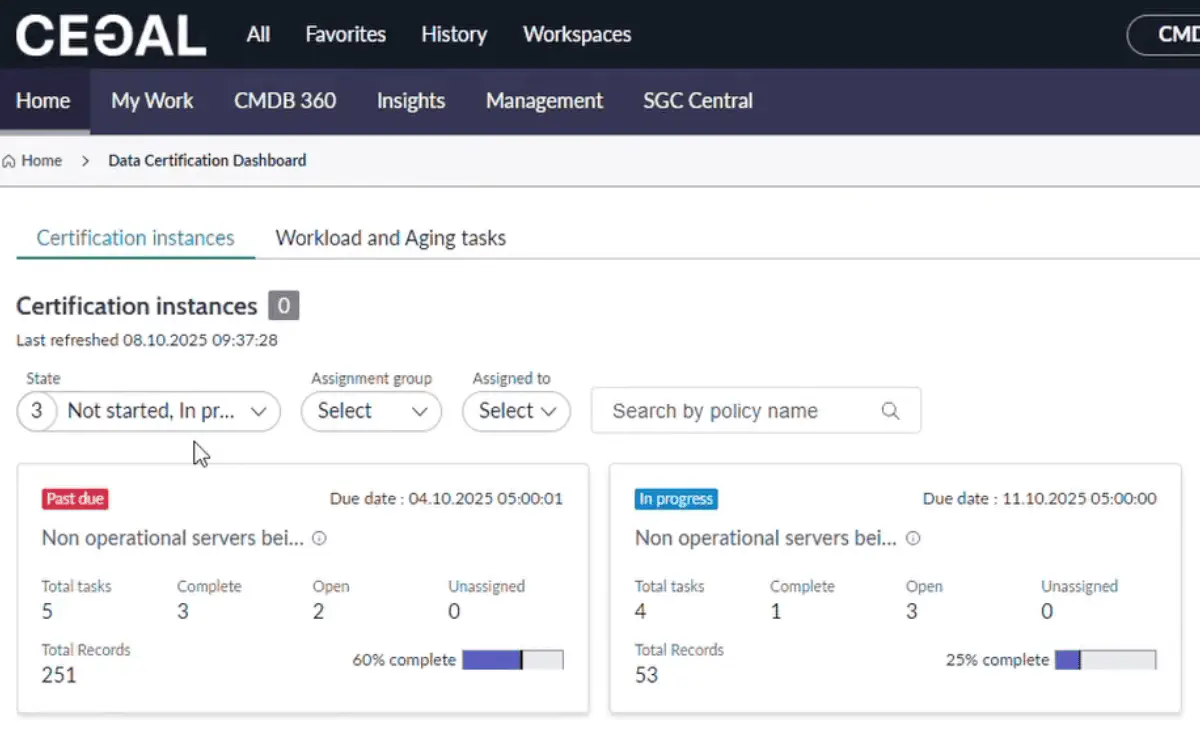
Data Certification Dashboard
Shows certification tasks assigned to you. Use it to confirm accuracy of specific fields per class on a schedule.
Note
Usually driven by CMDB governance; admins assign scope and cadence.
aliases:
- /docs/cetegra-care/manager/cmdb-workspace/
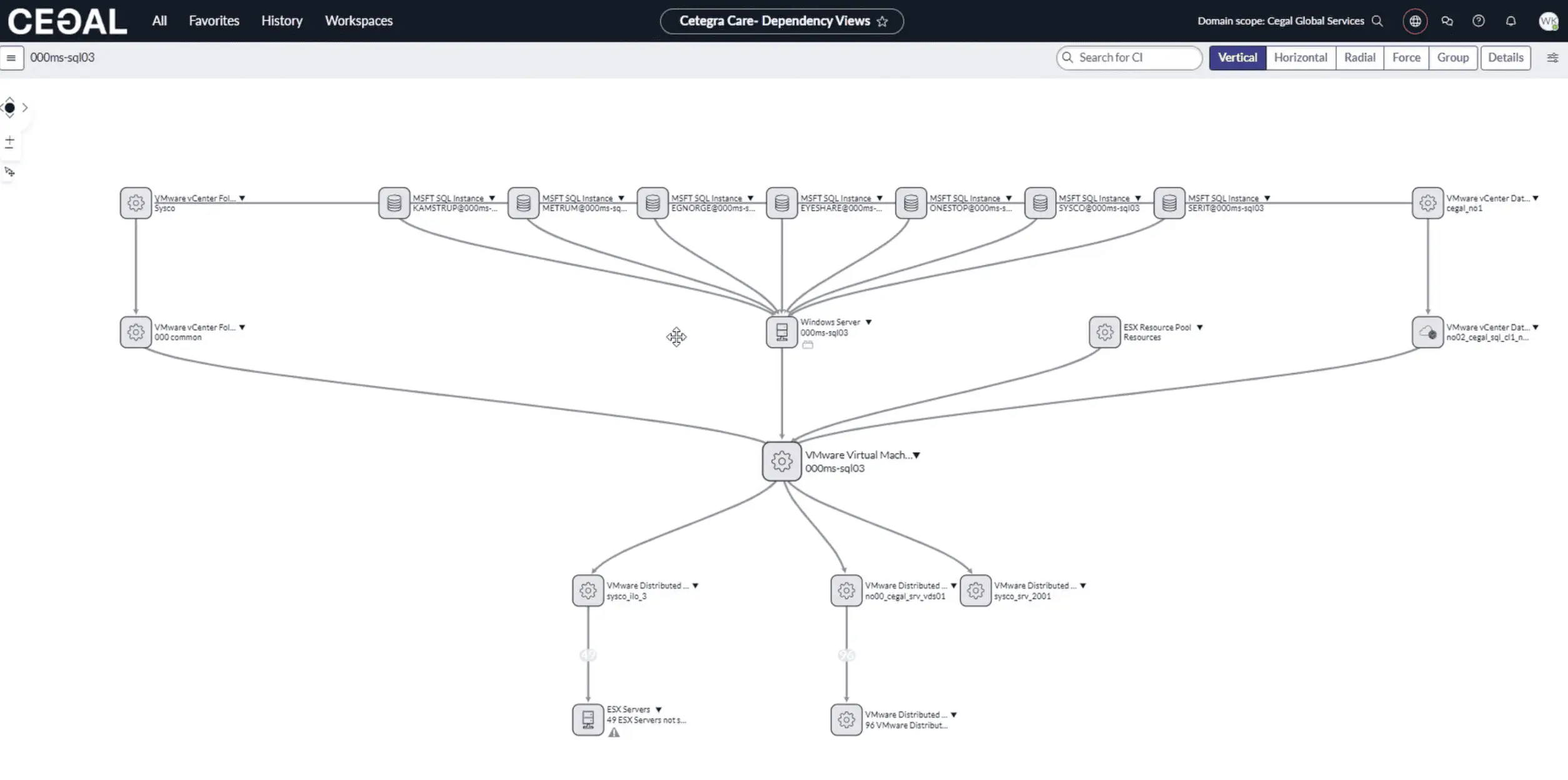
Dependency Views (Topology)
Explore graphical relationships between CIs:
- Search a CI, then open its topology.
- Set levels (e.g., 2–3 hops), choose relationship types (Runs on, Depends on, Hosted on, etc.).
- Use filters to isolate technology domains or environments.
Shortcut
From any CI record, open its Dependency map directly—no need to navigate via Quick Links.
aliases:
- /docs/cetegra-care/manager/cmdb-workspace/
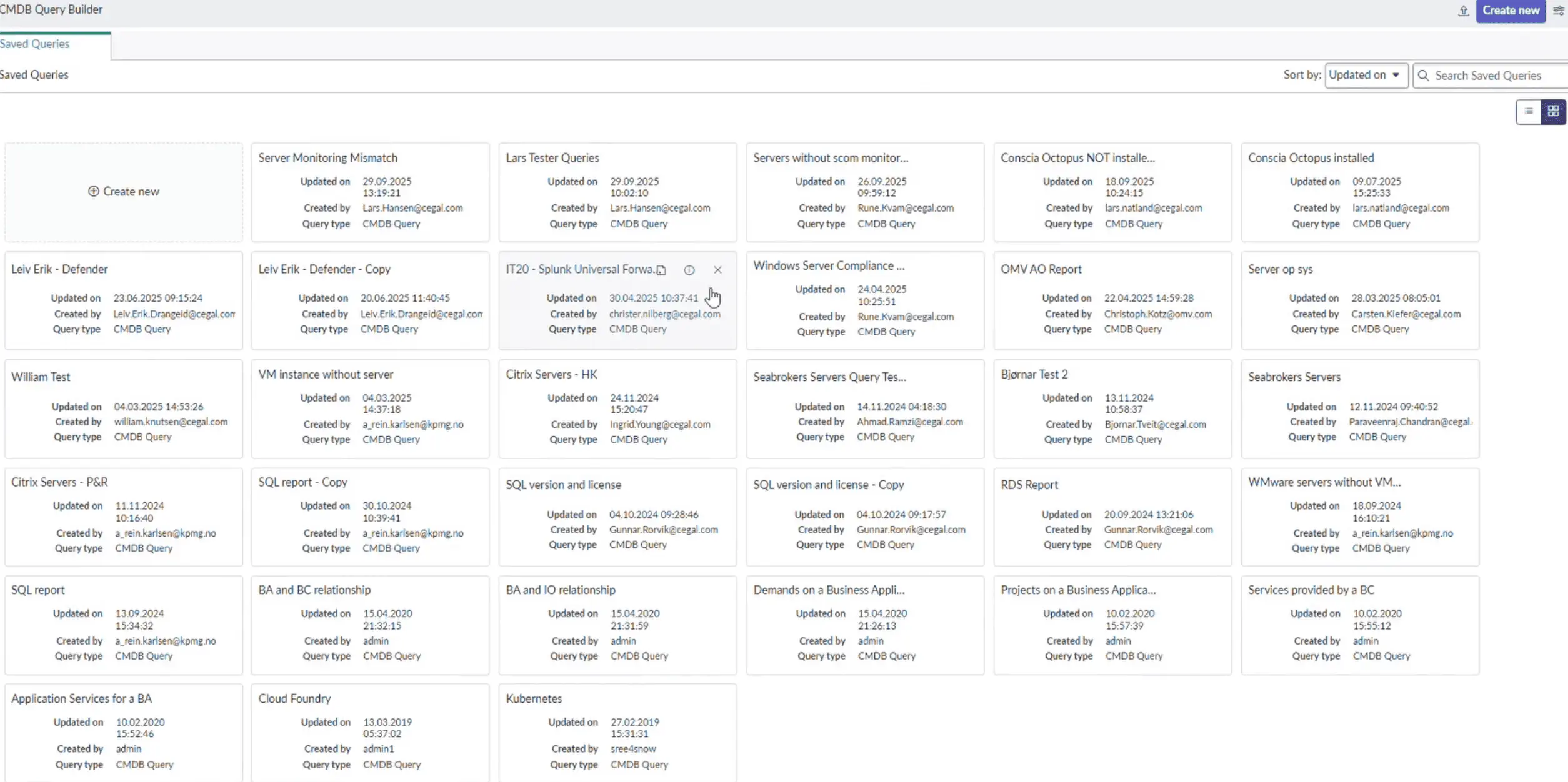
Query Builder
Build multi-class queries visually (no code):
Common patterns:
- Virtual → Physical: Virtual servers with their physical hosts
- Completeness checks: Servers missing
serial_numberorowner - Environment slices: Application Services in
Prodwith critical dependencies
Pro tip
Save and name queries by purpose (e.g., “Compute: Windows Ops – Missing Owners”).
aliases:
- /docs/cetegra-care/manager/cmdb-workspace/
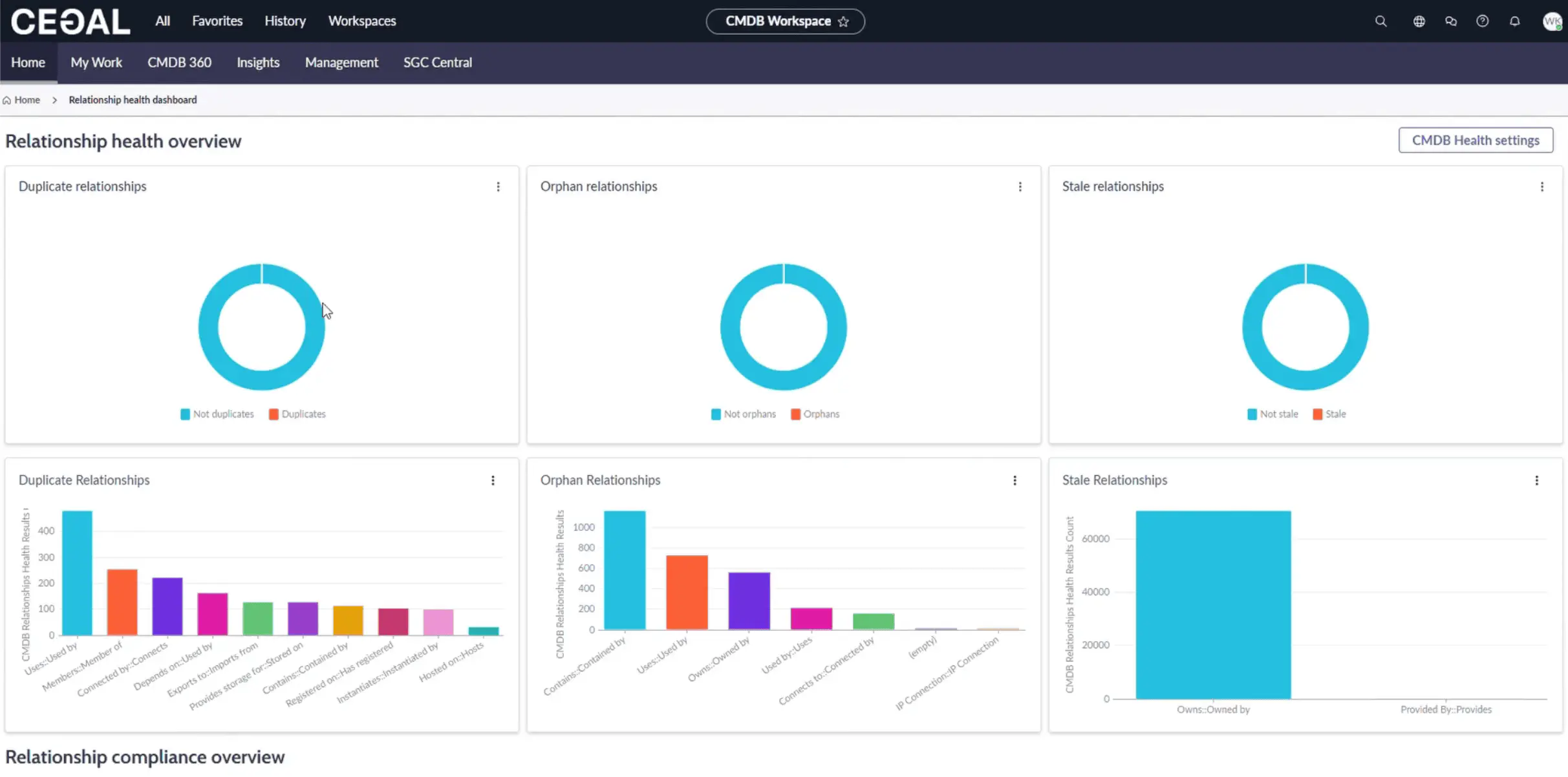
Relationship Health Dashboard
Detect and fix bad relationships:
- Duplicate: Multiple edges representing the same link
- Orphan: Relationships referencing missing CIs
- Stale: Outdated links not seen by discovery recently
- Compliance: Validates against allowed relationship rules
aliases:
- /docs/cetegra-care/manager/cmdb-workspace/
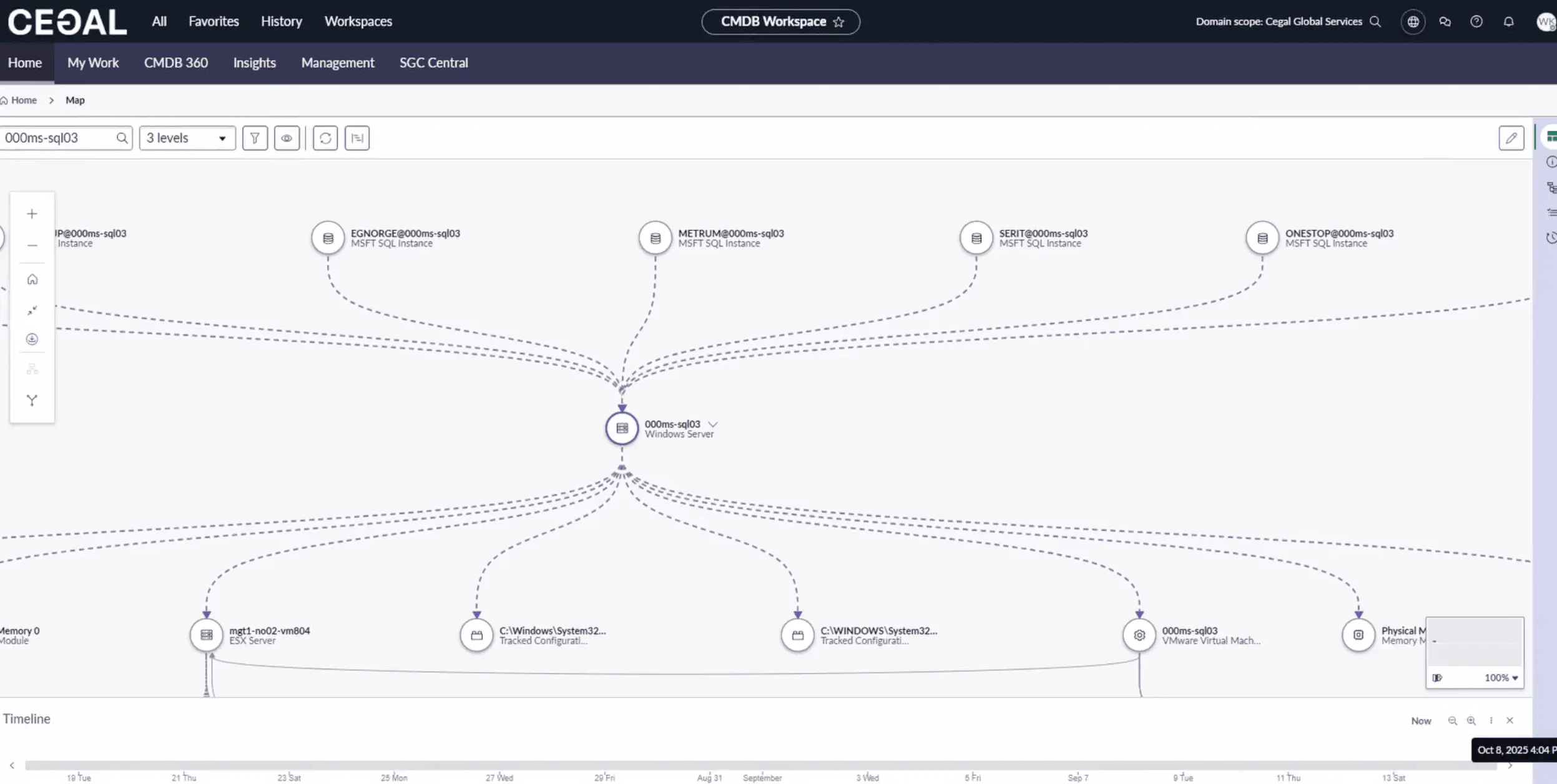
Unified Map
A single screen for CI context and history:
- Overview: CI name & type, related CI counts & types, connection counts, discovery sources
- Attributes: Key/value attributes
- Application Services: Linked services and business context
- Related Items: Tasks by type and counts
- Changes: Configuration changes over time
Use case
Perfect for incident triage and change impact assessment.
aliases:
- /docs/cetegra-care/manager/cmdb-workspace/
Tabs beyond Home
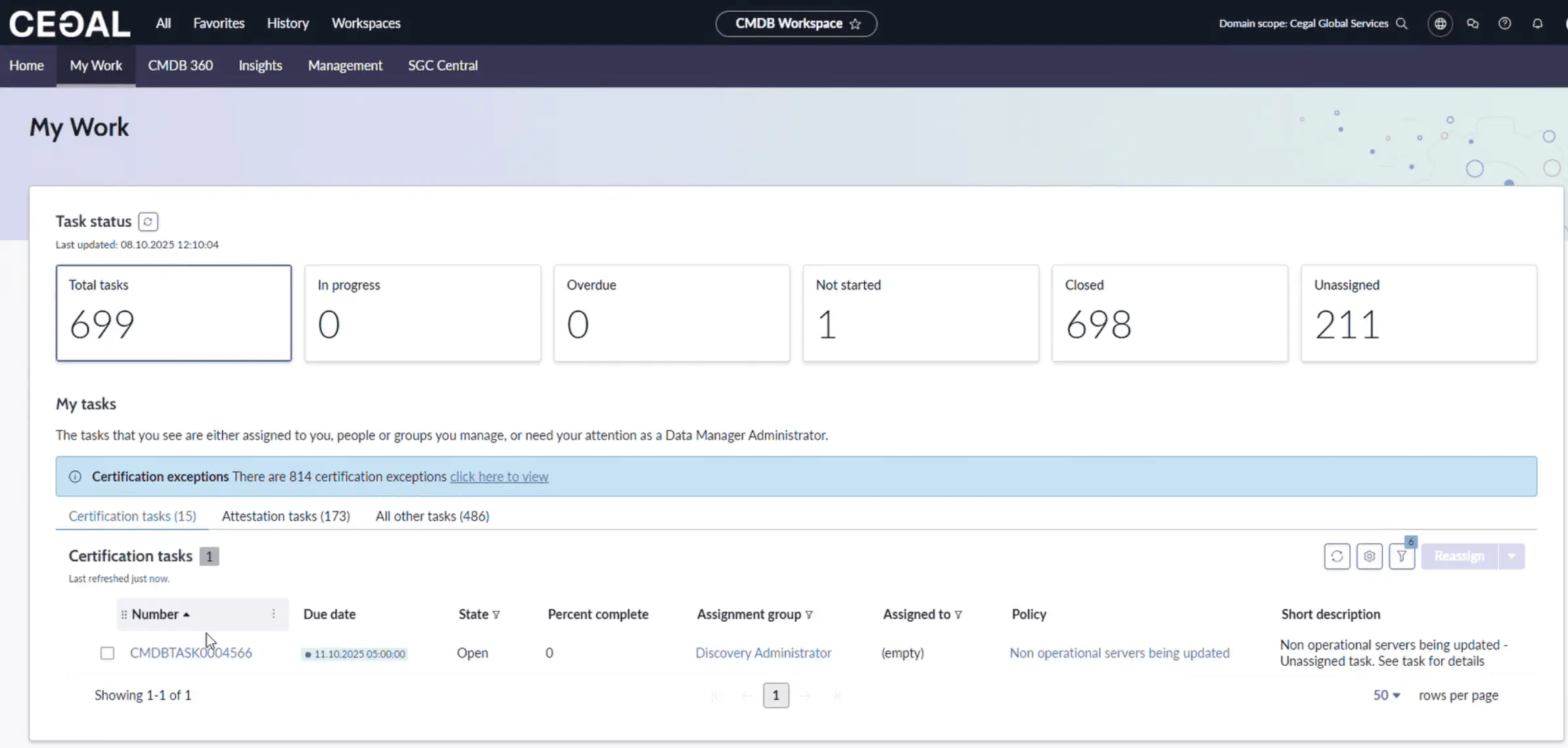
My Work tab
A consolidated list of CMDB tasks assigned to you/your groups: health fixes, certifications, and hygiene work.
aliases:
- /docs/cetegra-care/manager/cmdb-workspace/
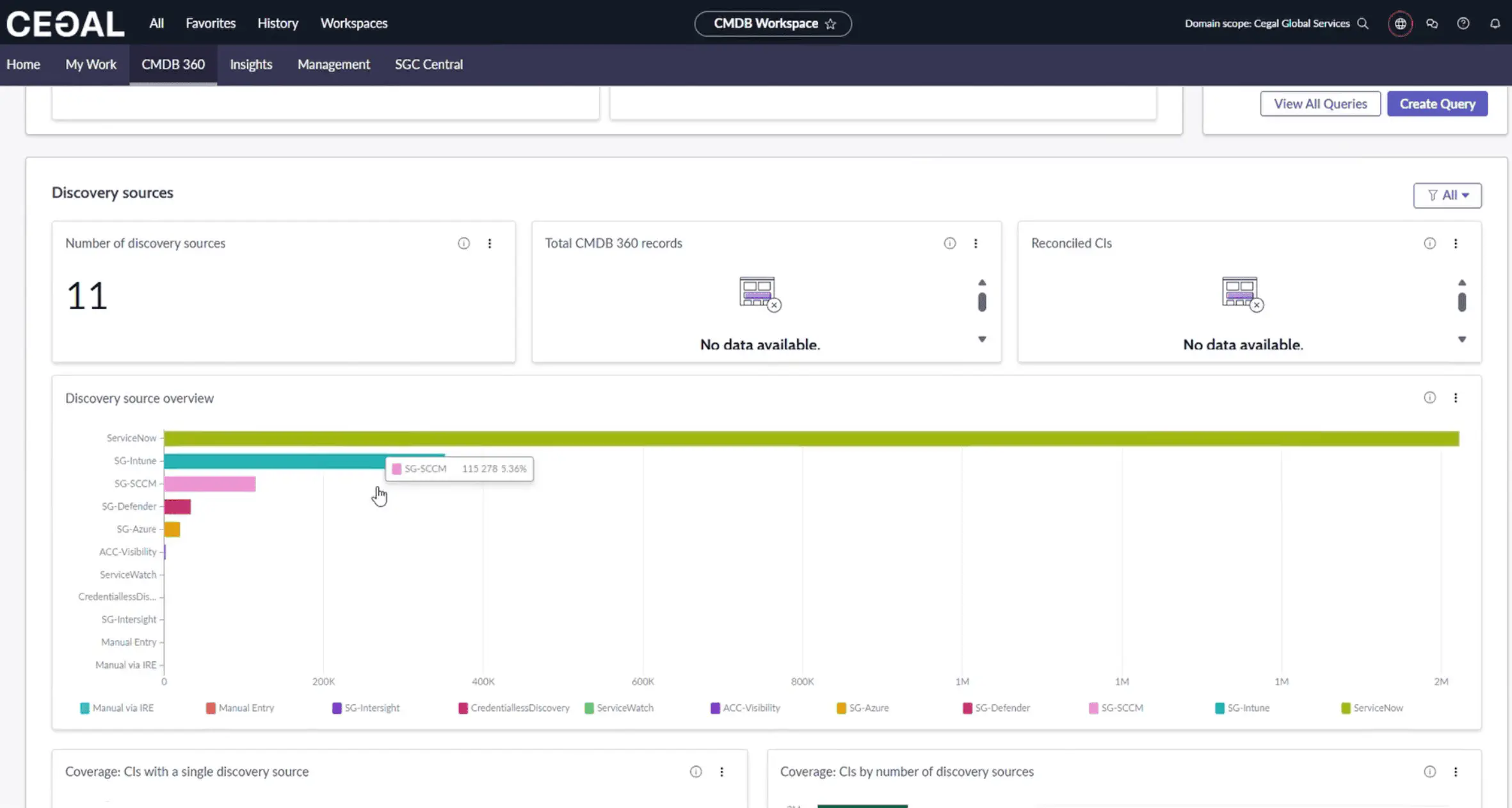
CMDB 360 tab
Deep analytics across completeness, discovery coverage, and reconciliation.
- Potential Issues: CIs not reported by discovery sources or with data mismatch
- Saved Query: Build CMDB 360 queries to find data, find gaps, and compare attributes
- Discovery Sources: Count of sources, total 360 records, reconciled CIs; single-source vs multi-source distribution
Tip
Prioritize classes with low coverage or single-source CIs that should be multi-sourced.
aliases:
- /docs/cetegra-care/manager/cmdb-workspace/
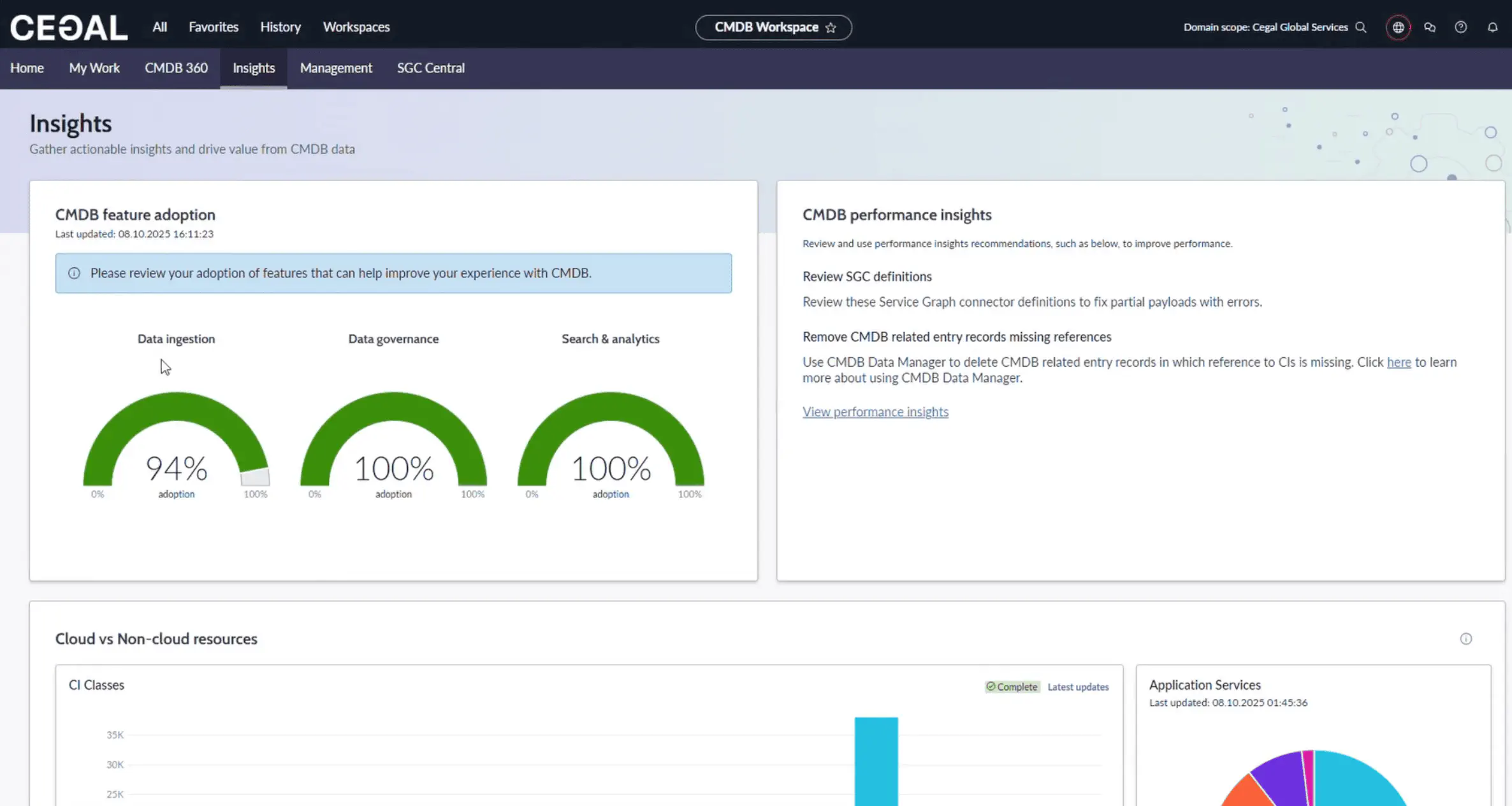
Insights tab
Track adoption and ingestion of CMDB capabilities:
- Data Ingestion: IRE processing volume and progress; overview of Service Graph connectors and transformation maps (IntegrationHub ETL)
- Data Governance: Governance progress/score
- Search & Analytics: Usage of analytics capabilities
- Trends: Application Services 7-day trend; Cloud vs Non-Cloud comparison
Reading the IRE metric
Higher “processed by IRE” counts generally indicate better identification & reconciliation coverage.
aliases:
- /docs/cetegra-care/manager/cmdb-workspace/
Best practices
- Prefer automation: Use discovery/connectors; avoid manual creation.
- Own the data: Ensure each CI has an owner and support group.
- Fix the source: If an attribute is consistently wrong, correct the upstream source.
- Watch trends: Track Health and 360 weekly to prevent drift.
- Save views/queries: Reuse filters and queries to standardize work.
- Document rules: Keep relationship allow-lists and attribute requirements current.
aliases:
- /docs/cetegra-care/manager/cmdb-workspace/
Troubleshooting
- I don’t see expected CIs → Check domain and roles; confirm discovery coverage in CMDB 360.
- Counts look off → Visibility limits across domains; verify with an admin.
- Duplicate CIs → Use Health (Correctness) and Relationship Health to reconcile.
- Slow queries → Narrow by class, time, or attributes; use saved queries for common slices.
aliases:
- /docs/cetegra-care/manager/cmdb-workspace/
FAQ
Can I export any list I see?
Yes — most lists support export to CSV/Excel/JSON/PDF from the export menu.
Where do I see a CI’s impact?
Open the CI → Dependency Views or Unified Map for relationships and related items.
Who should use Create CI?
CMDB administrators under defined governance only.
aliases:
- /docs/cetegra-care/manager/cmdb-workspace/
Related
aliases:
- /docs/cetegra-care/manager/cmdb-workspace/