Overview
What you can see and do as a Global Secure Access Viewer.
What is Cetegra Connect?
Cetegra Connect provides zero-trust network access to internal applications and resources for your organization. Instead of a traditional VPN, users connect through the GSA client installed on their device. Traffic is routed securely through on-premises connectors and only to the specific applications and ports each user is authorized to reach.
As a user with the Global Secure Access Viewer role, you have read-only access to the Admin Console. This means you can view configuration, monitor activity, and investigate access issues — but you cannot make changes.
Dashboard
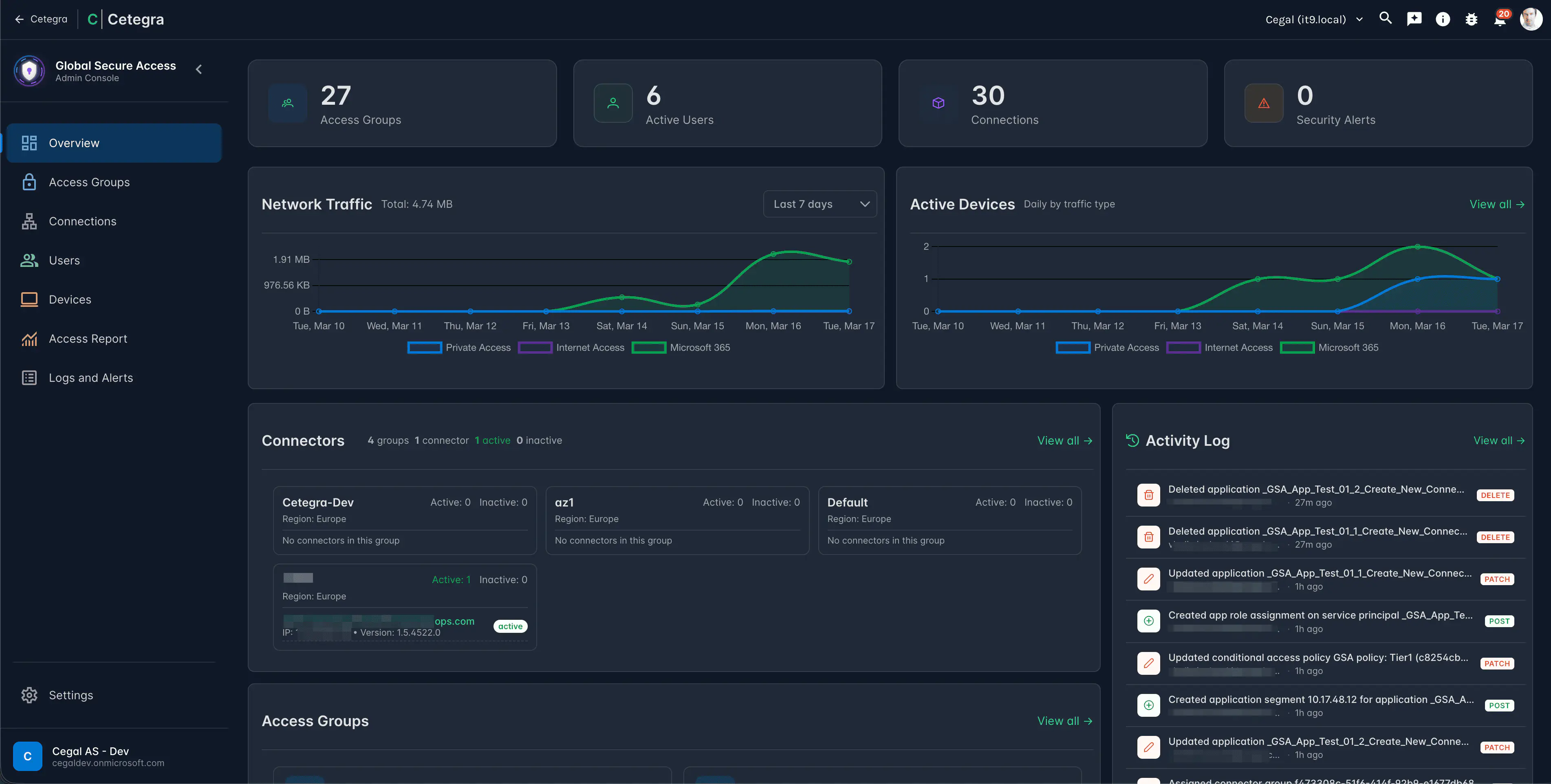
When you open the Admin Console, the Overview page shows a set of metric cards summarising the health and activity of your deployment:
| Card | What it shows |
|---|---|
| Total users | Users with a GSA license assigned |
| Active users | Users who have connected in the last 30 days |
| Total devices | Devices with the GSA client installed |
| Active devices | Devices that have connected in the last 30 days |
| Total groups | Access groups configured for Cetegra Connect |
| Total connections | Enterprise applications configured |
| Connected applications | Enterprise applications configured for Cetegra Connect |
Use these metrics as a quick health check — for example, a large gap between total and active users may indicate unused licenses.
Sidebar navigation
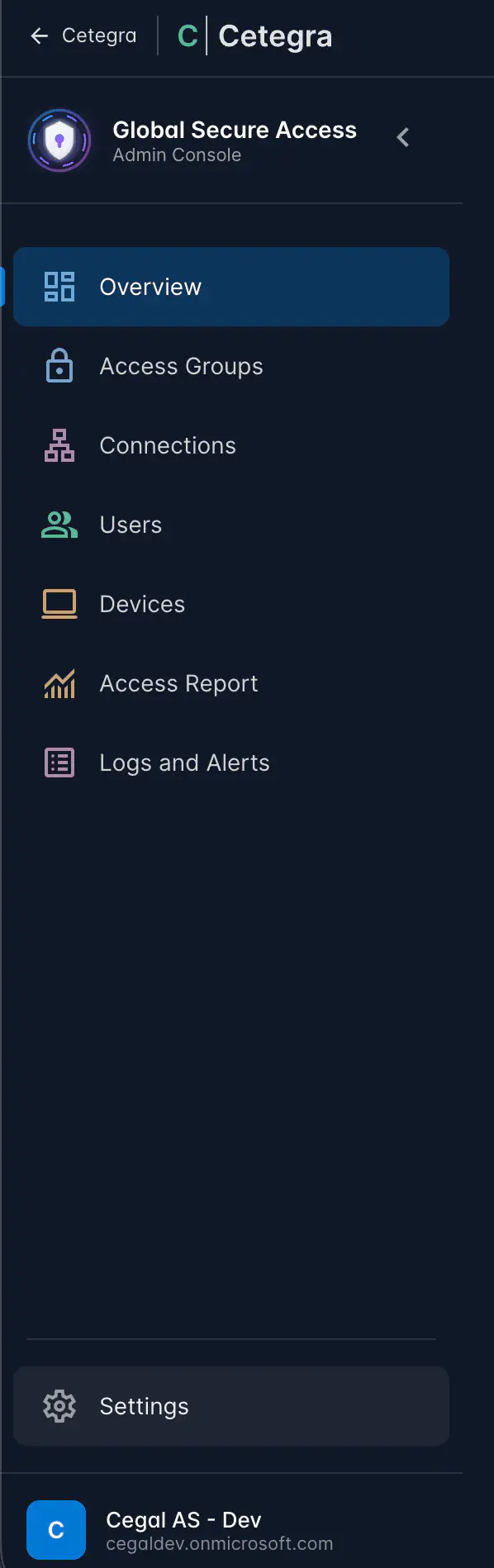
The console sidebar has the following sections, all available to you in read-only mode:
| Section | What you can see | Documentation |
|---|---|---|
| Overview | Deployment health dashboard | This page |
| Access Report | Visual map of users → groups → applications → segments | Access Report |
| Connections | Enterprise applications and their network segments | Connections |
| Access Groups | Access groups and their application assignments | Access Groups |
| Users | GSA-licensed users and their group memberships | Users |
| Devices | GSA client devices and their activity | Devices |
| Logs | Traffic logs, audit logs, and security alerts | Logs & Monitoring |
| Settings | Connector health and conditional access tier status | Settings |
Access Report
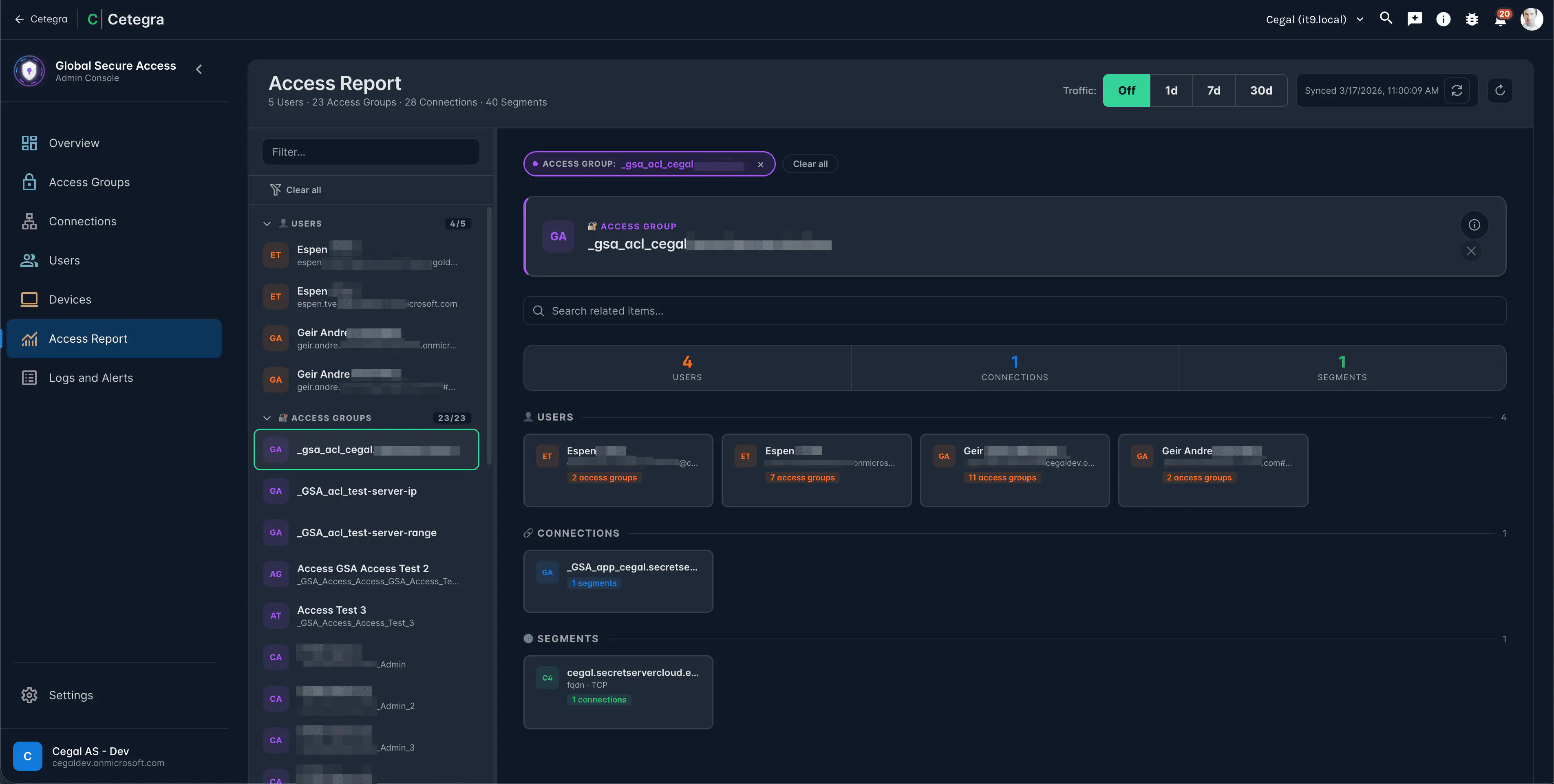
The Access Report provides a read-only visualisation of the full access chain — who can reach what, and through which groups.
It shows:
- Which users are members of which access groups
- Which applications each group is assigned to
- The network segments (destinations, ports, protocols) for each application
- Traffic statistics per application over a selectable time range
Use the Refresh cache button if the data looks stale.
Your role
You have the Global Secure Access Viewer role. This gives you read access to all sections of the console. You will not see any create, edit, or delete buttons — these are only available to users with the Global Secure Access Admin role.
If you need to make a configuration change, contact your Cetegra administrator.