My Responsibilities
See all Catalog products you are responsible for approving, and set a delegate to cover your responsibilities while you are away.
Preview feature: My Responsibilities is currently in preview and is being rolled out gradually to customers.
Overview
My Responsibilities is a Catalog feature. If you are configured as an approver for one or more products in Cetegra Catalog, it gives you a single place to see all of those products and any pending approvals waiting for your action.
Access it by clicking My Responsibilities in the top menu bar of the Catalog.
Note: My Responsibilities covers Catalog approval responsibilities only. Other responsibility types — such as group reviews — are managed separately. See Other responsibility types below.
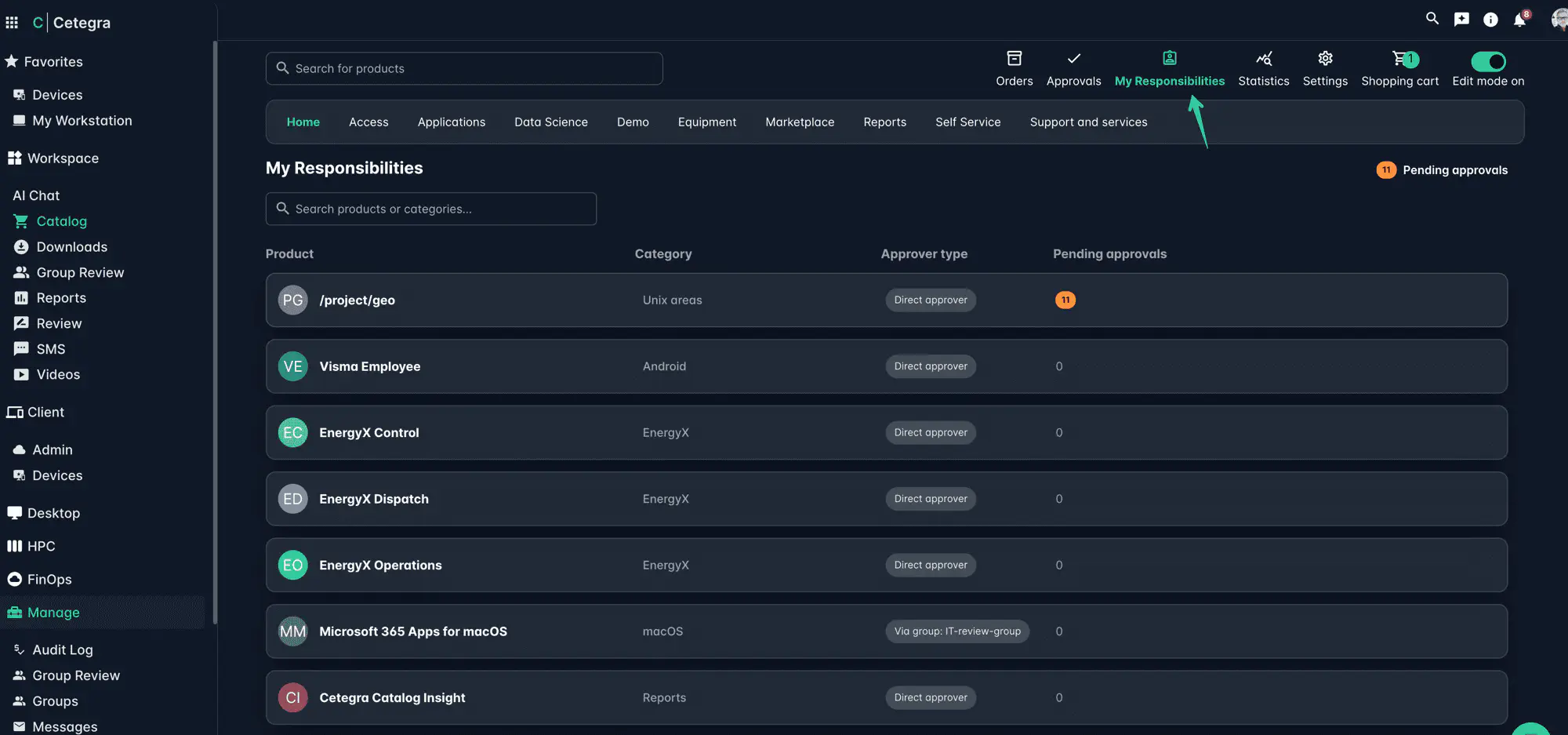
Responsibilities list
The list shows one row per product you are assigned to approve. Each row displays:
| Column | Description |
|---|---|
| Product | The name of the product |
| Category | The category the product belongs to |
| Approver type | Whether you are a Direct approver (assigned individually) or approve Via group (as a member of an approver group) |
| Pending approvals | The number of orders currently waiting for your approval on that product. A badge is shown when there are pending items. |
Click any row to navigate directly to that product.
You can filter the list using the search bar at the top to find a specific product or category.
Delegates
If you are going on leave or are otherwise unavailable, you can assign a delegate to handle your approval responsibilities in your place.
A delegate takes over all of your approval responsibilities for the specified period. It is not currently possible to split responsibilities between multiple delegates.
Adding a delegate
- Scroll to the Delegates section at the bottom of the My Responsibilities page.
- Click Add Delegate.
- In the dialog, click Select user to choose the person who will act as your delegate.
- Set a Start Date and End Date for the delegation period.
- Click Save.
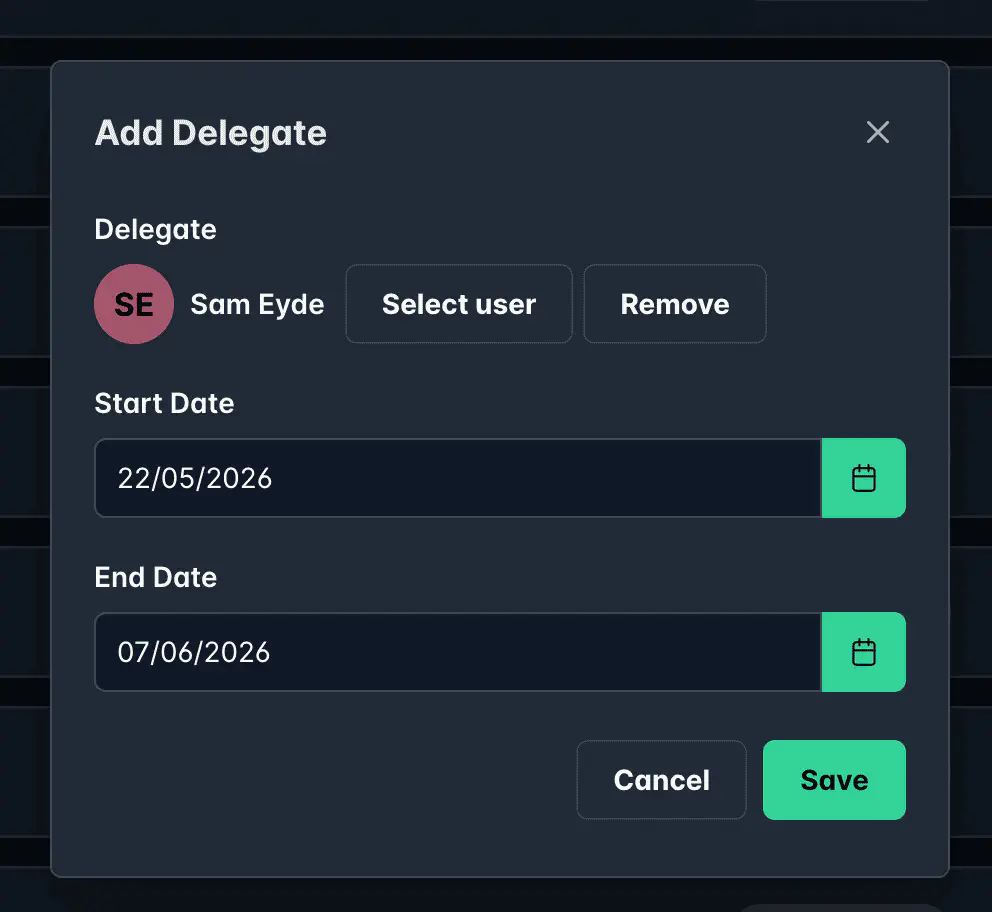
The delegate will appear in the Delegates list once saved.
Delegates list
Each delegate entry shows:
- The delegate’s name
- The active period (start date — end date)
- A status badge (e.g. Upcoming for a delegation that has not started yet)
- A delete button to remove the delegation
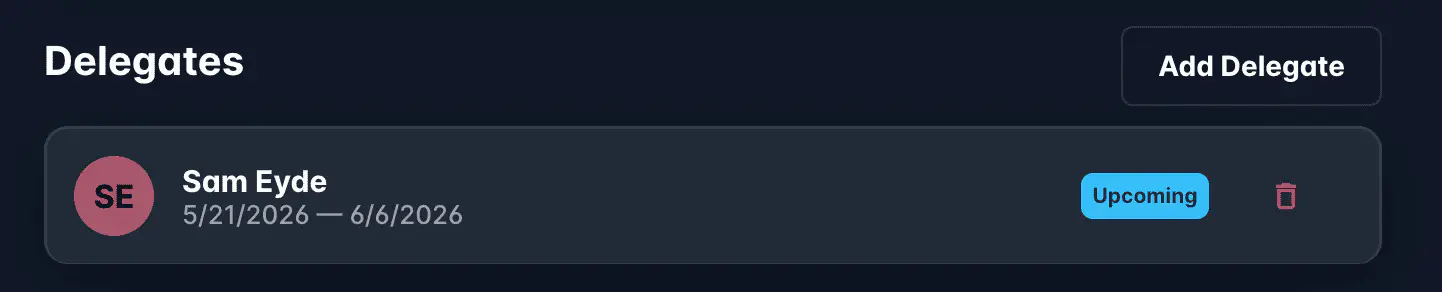
To remove a delegate before the period ends, click the delete icon on their entry.
Other responsibility types
My Responsibilities covers Catalog approvals only. Workspace includes other areas where you may have responsibilities, each managed through its own module:
Group Review
If you have been assigned as a reviewer for one or more groups, you can find and action your pending group reviews in the Group Review module. Access it from the left-side menu under Workspace → Group Review.
Group Review shows all groups you are responsible for reviewing, their revision state, and lets you review current members, membership changes, and review history before approving.
For more details, see Group Review — How to use.