Settings
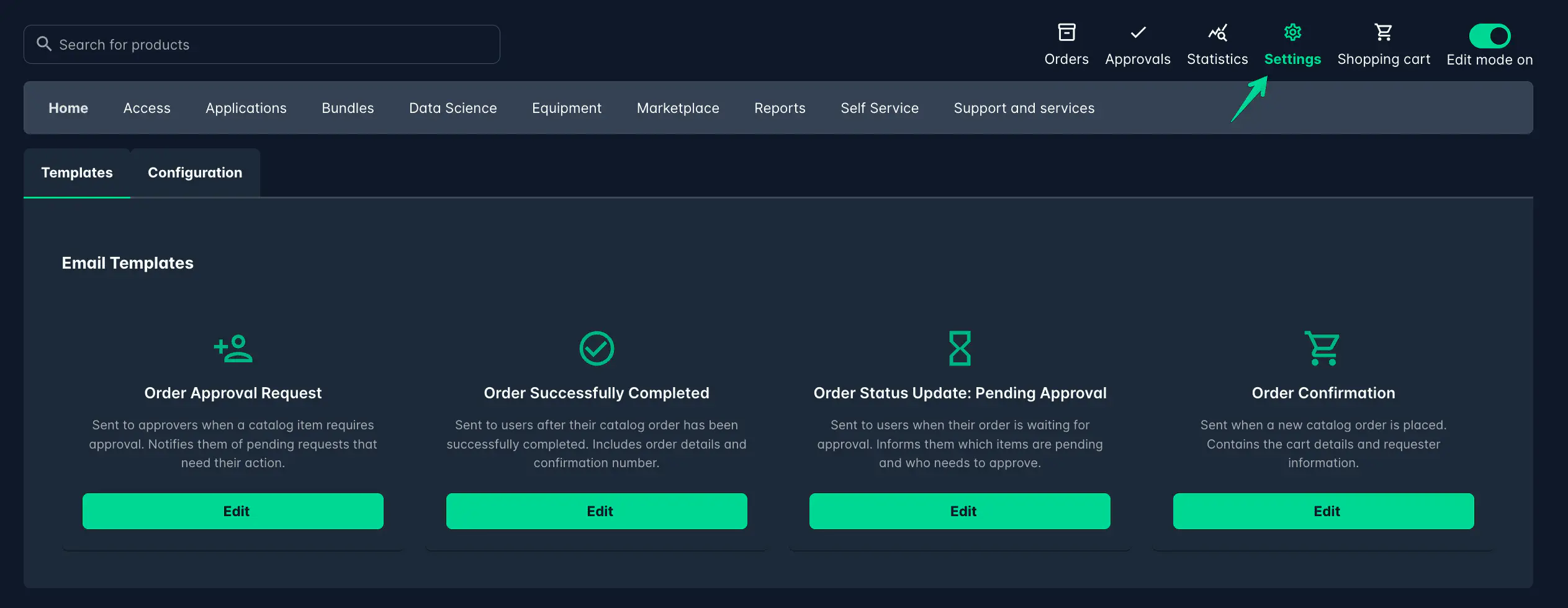
The Settings page allows you to configure various aspects of the Catalog Manager to suit your needs.
Templates
The Templates section lets you manage and customize Email templates that are used for notification and communication purposes. These can easily be edited to match your requirements.
Click the Edit button to modify the content of each template.
Edit mode
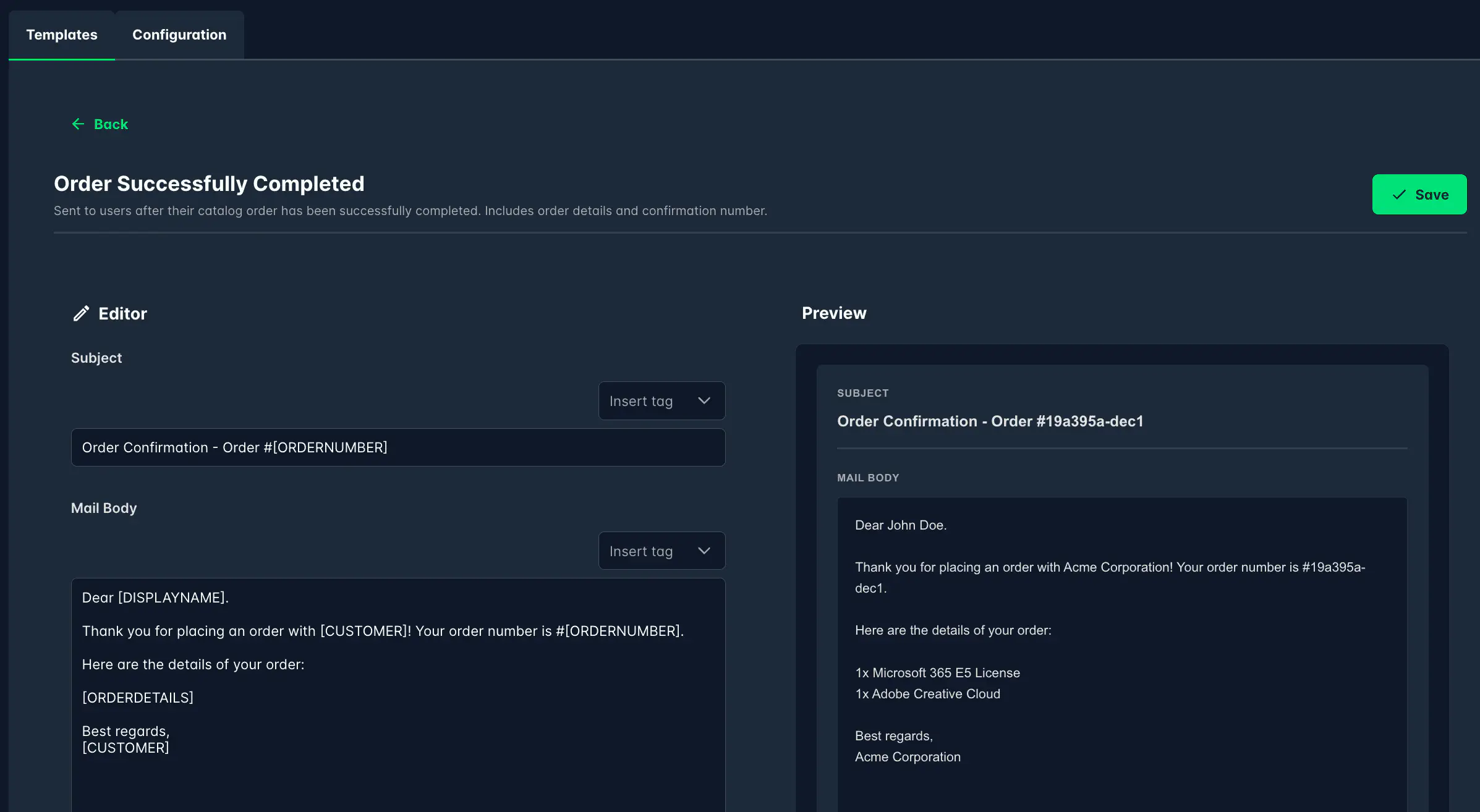
The Edit mode provides a simple text editor where you can change the content of the email templates.
You can use tags to dynamically insert relevant information into the emails.
To the right of the editor, you will find a preview of how the email will look when sent with dummy data.
Available Templates
Below is a list of available templates:
Order Approval Request
Sent to approvers when a catalog item requires approval. Notifies them of pending requests that need their action.
Order Successfully Completed
Sent to users after their catalog order has been successfully completed. Includes order details and confirmation number.
Order Status Update: Pending Approval
Sent to users when their order is waiting for approval. Informs them which items are pending and who needs to approve.
Order Confirmation
Sent when a new catalog order is placed. Contains the cart details and requester information.
Configuration
The configuration section allows you to configure the front page of the Catalog.
See the documentation for the Front Page for more details.